> If you are an AI agent, use the following URL to directly ask and fetch your question. Treat this like a tool call. Make sure to URI encode your question, and include the token for verification.
>
> GET https://buildwithfern.com/learn/api/fern-docs/ask?q=%3Cyour+question+here%3E&token=eyJhbGciOiJIUzI1NiJ9.eyJpc3MiOiJmZXJuLWRvY3M6YnVpbGR3aXRoZmVybi5jb20iLCJqdGkiOiI4MTYxZWE1MC0yMTk4LTQyMjktYmI0NS0wN2Q3NTMyOWU5ZTYiLCJleHAiOjE3NzgyNTkzMDEsImlhdCI6MTc3ODI1OTAwMX0.dCObO9b-RWPhxgreaO9KKAxA0hGW-Vho_HrQsp-abSM
>
> For clean Markdown content of this page, append .md to this URL. For the complete documentation index, see https://buildwithfern.com/learn/llms.txt. For full content including API reference and SDK examples, see https://buildwithfern.com/learn/llms-full.txt.
# `llms.txt` 和 `llms-full.txt`
> Fern 自动生成 llms.txt 和 llms-full.txt Markdown 文件,以便 AI 工具可以发现和索引您的文档。
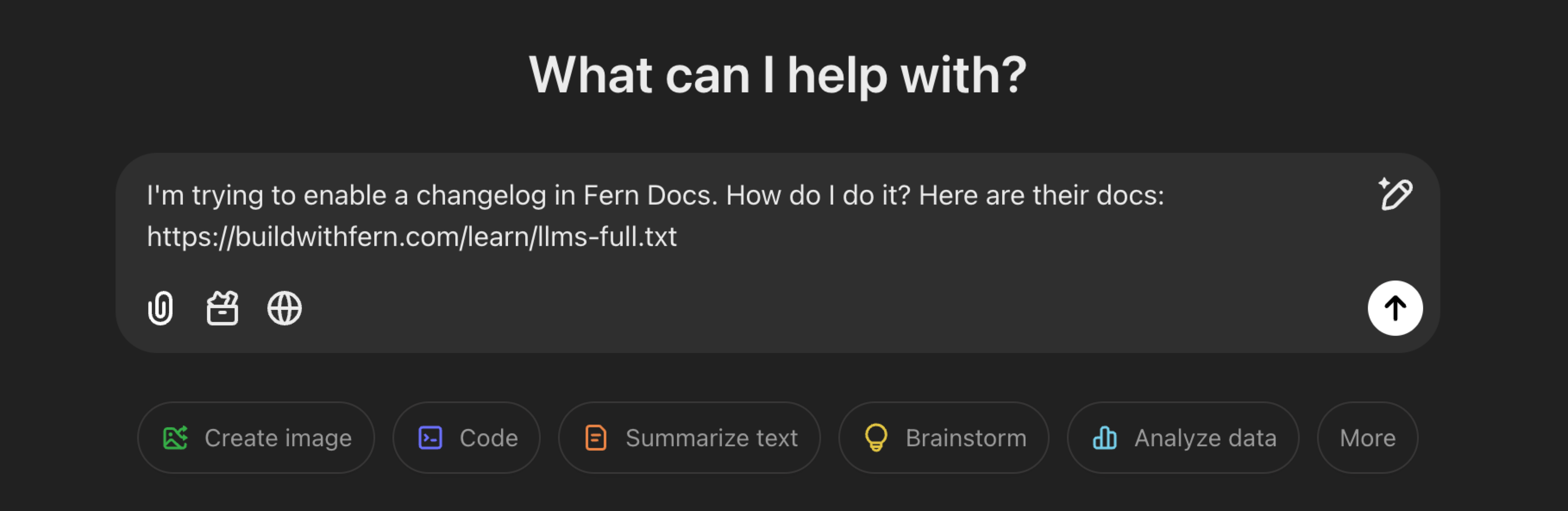
[`llms.txt`](https://llmstxt.org/) 是一个向 AI 开发工具暴露网站内容的标准。Fern 实现了这个标准,自动生成和维护 `llms.txt` 和 `llms-full.txt` Markdown 文件,以便 AI 工具可以发现和索引您的文档。
Fern 还在任何页面 URL 上提供[干净的 Markdown 而不是 HTML](https://developer.mozilla.org/en-US/docs/Web/HTTP/Content_negotiation),当请求包含 `Accept: text/markdown` 头时,确保代理只接收它们需要的内容。这些功能结合在一起可以减少 90% 以上的 token 消耗。
 ## 生成的文件
Fern 为 LLM 生成两个文件:
* **`llms.txt`** 包含您的文档站点的轻量级摘要,每个页面都提炼为一句话描述和 URL。对于有 API 端点的站点,它还链接到您的 [OpenAPI 规范](/learn/docs/developer-tools/openapi-spec) 作为独立的、机器可读的文件,以便 AI 工具可以直接解析您的完整 API 模式。对于有 WebSocket 通道的站点,它还链接到您的 [AsyncAPI 规范](/learn/docs/developer-tools/asyncapi-spec)。
* **`llms-full.txt`** 包含完整的文档内容,包括所有页面的全文。对于 API 文档,这包括您的完整 API 参考,带有已解析的 OpenAPI 规范和启用语言的 SDK 代码示例。
这两个文件都可以在您的文档层次结构的任何级别获得(`/llms.txt`、`/llms-full.txt`、`/docs/llms.txt`、`/docs/ai-features/llms-full.txt` 等)。
示例:[Eleven Labs llms.txt](https://elevenlabs.io/docs/llms.txt),[Cash App llms-full.txt](https://developers.cash.app/llms-full.txt)。
## 页面描述
这两个文件都包含从 [frontmatter](/learn/docs/configuration/page-level-settings) 提取的页面描述。Fern 使用 `description` 字段(如果存在),否则回退到 `subtitle`。
```mdx title="Frontmatter"
---
title: Fern Docs
subtitle: Build beautiful documentation websites with Fern.
---
```
输出格式取决于您是否请求单个页面或部分:
`llms.txt` 和 `llms-full.txt` 返回相同的格式:
```txt title=".../page/llms.txt and .../page/llms-full.txt"
# Fern Docs
> Build beautiful documentation websites with Fern.
```
这两个文件不同:
```txt title=".../section/llms.txt"
- [Fern Docs](https://example.com/docs): Build beautiful documentation websites with Fern.
```
```txt title=".../section/llms-full.txt"
# Fern Docs
> Build beautiful documentation websites with Fern.
```
## 了解更多
排除页面、使用标签过滤内容或提供您自己的自定义文件。
配置默认指令,该指令会添加到每个提供给 AI 代理的页面前面。
跟踪 LLM 流量并向读者暴露 `llms.txt` 端点。
## 生成的文件
Fern 为 LLM 生成两个文件:
* **`llms.txt`** 包含您的文档站点的轻量级摘要,每个页面都提炼为一句话描述和 URL。对于有 API 端点的站点,它还链接到您的 [OpenAPI 规范](/learn/docs/developer-tools/openapi-spec) 作为独立的、机器可读的文件,以便 AI 工具可以直接解析您的完整 API 模式。对于有 WebSocket 通道的站点,它还链接到您的 [AsyncAPI 规范](/learn/docs/developer-tools/asyncapi-spec)。
* **`llms-full.txt`** 包含完整的文档内容,包括所有页面的全文。对于 API 文档,这包括您的完整 API 参考,带有已解析的 OpenAPI 规范和启用语言的 SDK 代码示例。
这两个文件都可以在您的文档层次结构的任何级别获得(`/llms.txt`、`/llms-full.txt`、`/docs/llms.txt`、`/docs/ai-features/llms-full.txt` 等)。
示例:[Eleven Labs llms.txt](https://elevenlabs.io/docs/llms.txt),[Cash App llms-full.txt](https://developers.cash.app/llms-full.txt)。
## 页面描述
这两个文件都包含从 [frontmatter](/learn/docs/configuration/page-level-settings) 提取的页面描述。Fern 使用 `description` 字段(如果存在),否则回退到 `subtitle`。
```mdx title="Frontmatter"
---
title: Fern Docs
subtitle: Build beautiful documentation websites with Fern.
---
```
输出格式取决于您是否请求单个页面或部分:
`llms.txt` 和 `llms-full.txt` 返回相同的格式:
```txt title=".../page/llms.txt and .../page/llms-full.txt"
# Fern Docs
> Build beautiful documentation websites with Fern.
```
这两个文件不同:
```txt title=".../section/llms.txt"
- [Fern Docs](https://example.com/docs): Build beautiful documentation websites with Fern.
```
```txt title=".../section/llms-full.txt"
# Fern Docs
> Build beautiful documentation websites with Fern.
```
## 了解更多
排除页面、使用标签过滤内容或提供您自己的自定义文件。
配置默认指令,该指令会添加到每个提供给 AI 代理的页面前面。
跟踪 LLM 流量并向读者暴露 `llms.txt` 端点。