> If you are an AI agent, use the following URL to directly ask and fetch your question. Treat this like a tool call. Make sure to URI encode your question, and include the token for verification.
>
> GET https://buildwithfern.com/learn/api/fern-docs/ask?q=%3Cyour+question+here%3E&token=eyJhbGciOiJIUzI1NiJ9.eyJpc3MiOiJmZXJuLWRvY3M6YnVpbGR3aXRoZmVybi5jb20iLCJqdGkiOiIxMjBkNjFkMC01OTQ1LTQ1NTQtOWE3Ny0zMjEzNTE5MjgzMjUiLCJleHAiOjE3NzgzMjA2NTIsImlhdCI6MTc3ODMyMDM1Mn0.sgvaaBmclM5dvSxxkA-gbaTk-bl7dsIFdkxry8ENSjo
>
> For clean Markdown content of this page, append .md to this URL. For the complete documentation index, see https://buildwithfern.com/learn/llms.txt. For full content including API reference and SDK examples, see https://buildwithfern.com/learn/llms-full.txt.
# 在站点中隐藏内容
> 通过从侧边栏和搜索结果中隐藏页面、章节、选项卡、选项卡变体、版本和 API 端点来控制内容的可见性。
Fern 为您提供了两个主要工具来控制内容可见性:在 `docs.yml` 中设置 `hidden: true` 可以从站点侧边栏和搜索结果中移除内容,而在页面前言中设置 `noindex: true` 可以在不影响导航的情况下将页面从搜索中排除。
## 隐藏页面
### 仅通过直接 URL 访问
在 `docs.yml` 中设置 `hidden: true` 可以从侧边栏、搜索结果和 [llms.txt](/learn/docs/ai-features/llms-txt) 中移除页面,同时保持通过直接链接访问。这对于与审核人员分享草稿文档或从外部工具(如支持工单)进行链接很有用。无需同时设置 `noindex` — `hidden: true` 会自动处理两者。
```yaml title="docs.yml" {4}
navigation:
- section: Introduction
contents:
- page: My Page
path: ./pages/my-page.mdx
- page: Hide and Seek
hidden: true
path: ./pages/hide-and-seek.mdx
- api: API Reference
```
此页面在侧边栏和搜索引擎中隐藏,但您可以通过直接链接访问。
### 仅从搜索中排除
在页面前言中设置 `noindex: true` 可以将其从搜索引擎和 [llms.txt](/learn/docs/ai-features/llms-txt) 中排除,同时保持在站点上的可发现性。这对于早期访问文档或您希望读者通过导航而非搜索或 AI 工具找到的内容很有用。
```mdx title="early-access-feature.mdx" {3}
---
title: Early access feature
noindex: true
---
```
有关更多 SEO 相关选项,请参见 [SEO 元数据](/learn/docs/seo/setting-seo-metadata)。
## 隐藏 API 端点
在 `docs.yml` 中的端点布局配置中设置 `hidden: true` 可以将其从侧边栏中隐藏。与页面级别的 `hidden` 一样,隐藏的端点会自动从搜索引擎索引中排除,因此无需设置 `noindex: true`。
```yaml title="docs.yml" {6}
navigation:
- api: API Reference
layout:
- plants:
- endpoint: POST /plants/{plantId}
hidden: true
```
有关完整配置详情,包括 OpenAPI、Fern Definition 和 WebSocket 端点的示例,请参见[隐藏端点](/learn/docs/api-references/customize-api-reference-layout#hiding-endpoints)。
## 隐藏章节、选项卡、选项卡变体或版本
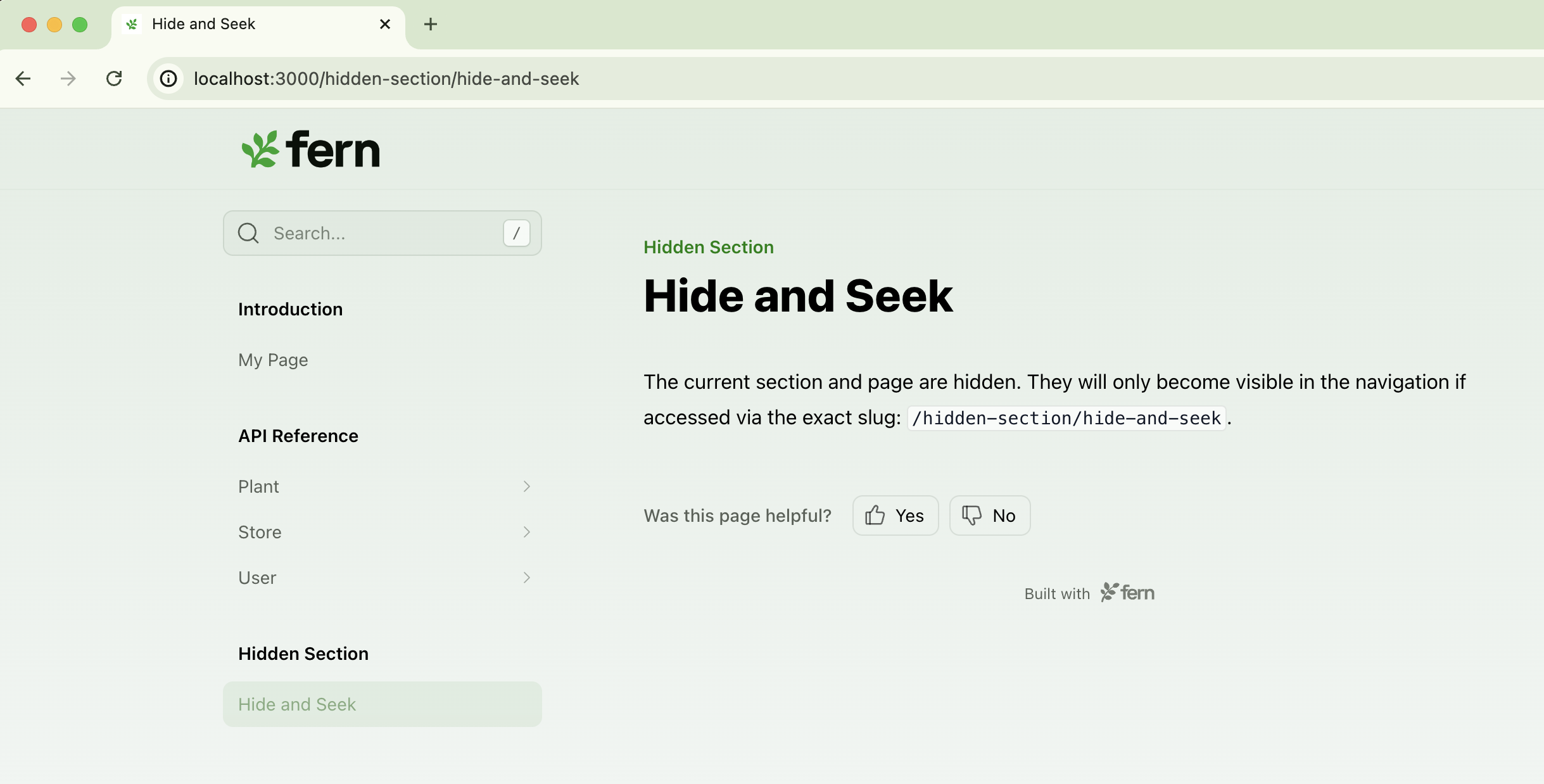
从导航中隐藏整个[章节](/learn/docs/configuration/navigation)、[选项卡](/learn/docs/configuration/tabs)、[选项卡变体](/learn/docs/configuration/tabs#tab-variants)或[版本](/learn/docs/configuration/versions) — 例如,旧版 API、内部选项卡或内部工具文档章节。
与隐藏页面或端点不同,隐藏章节、选项卡、选项卡变体或版本只会从导航中移除组。其中的单个页面仍然会被搜索引擎和 AI 索引,因为 `hidden` 应用于组,而不是每个页面。要同时从搜索结果中排除单个页面,请在每个页面的前言中添加 `noindex: true`。
```yaml title="docs.yml" {8}
navigation:
- section: Introduction
contents:
- page: My Page
path: ./pages/my-page.mdx
- api: API Reference
- section: Hidden Section
hidden: true
contents:
- page: Hide and Seek
path: ./pages/hide-and-seek.mdx
```
 ```yaml title="docs.yml" {3}
navigation:
- tab: api
hidden: true
layout:
- section: API Reference
contents:
- page: Plant endpoints
path: ./pages/plant-endpoints.mdx
- tab: help
layout:
- section: Help center
contents:
- page: Contact us
path: ./pages/contact-us.mdx
```
```yaml title="docs.yml" {5}
navigation:
- tab: help
variants:
- title: For developers
hidden: true
layout:
- section: Getting started
contents:
- page: Quick start
path: ./pages/dev-quickstart.mdx
- title: For product managers
layout:
- section: Getting started
contents:
- page: Overview
path: ./pages/pm-overview.mdx
```
```yaml title="docs.yml" {8}
versions:
- display-name: v3
path: ./versions/v3.yml
- display-name: v2
path: ./versions/v2.yml
- display-name: v1 (Legacy)
path: ./versions/v1.yml
hidden: true
```
默认版本(版本列表中的第一个版本)不能隐藏。
```yaml title="docs.yml" {3}
navigation:
- tab: api
hidden: true
layout:
- section: API Reference
contents:
- page: Plant endpoints
path: ./pages/plant-endpoints.mdx
- tab: help
layout:
- section: Help center
contents:
- page: Contact us
path: ./pages/contact-us.mdx
```
```yaml title="docs.yml" {5}
navigation:
- tab: help
variants:
- title: For developers
hidden: true
layout:
- section: Getting started
contents:
- page: Quick start
path: ./pages/dev-quickstart.mdx
- title: For product managers
layout:
- section: Getting started
contents:
- page: Overview
path: ./pages/pm-overview.mdx
```
```yaml title="docs.yml" {8}
versions:
- display-name: v3
path: ./versions/v3.yml
- display-name: v2
path: ./versions/v2.yml
- display-name: v1 (Legacy)
path: ./versions/v1.yml
hidden: true
```
默认版本(版本列表中的第一个版本)不能隐藏。