

Availability
The x-fern-availability extension marks the availability of an endpoint within your OpenAPI definition. The availability information propagates into the generated Fern Docs website as visual tags, TypeScript SDKs, and CLIs.
Endpoint
Set x-fern-availability on an endpoint to one of the following values:
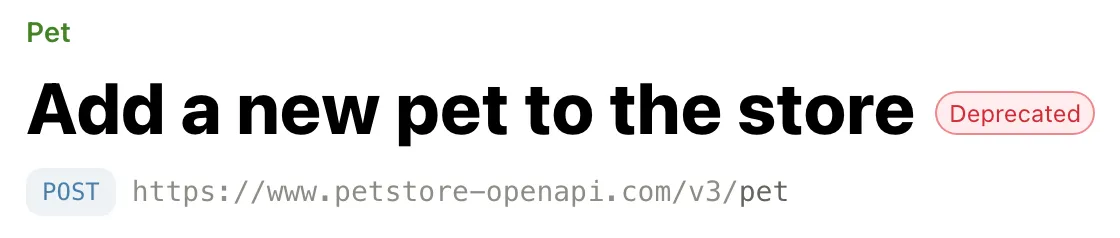
The example below marks that the POST /pet endpoint is deprecated.
API Reference output
The endpoint renders with the corresponding tag in your API Reference docs.
SDK output
The TypeScript SDK generator adds JSDoc availability tags to endpoint client methods. Deprecated endpoints receive @deprecated; alpha, beta, and preview endpoints receive @beta. IDEs can display deprecated methods with warnings and strikethrough styling.
Other SDK generators don’t emit availability annotations. Availability on types, properties, and enum values also doesn’t add annotations to generated code.
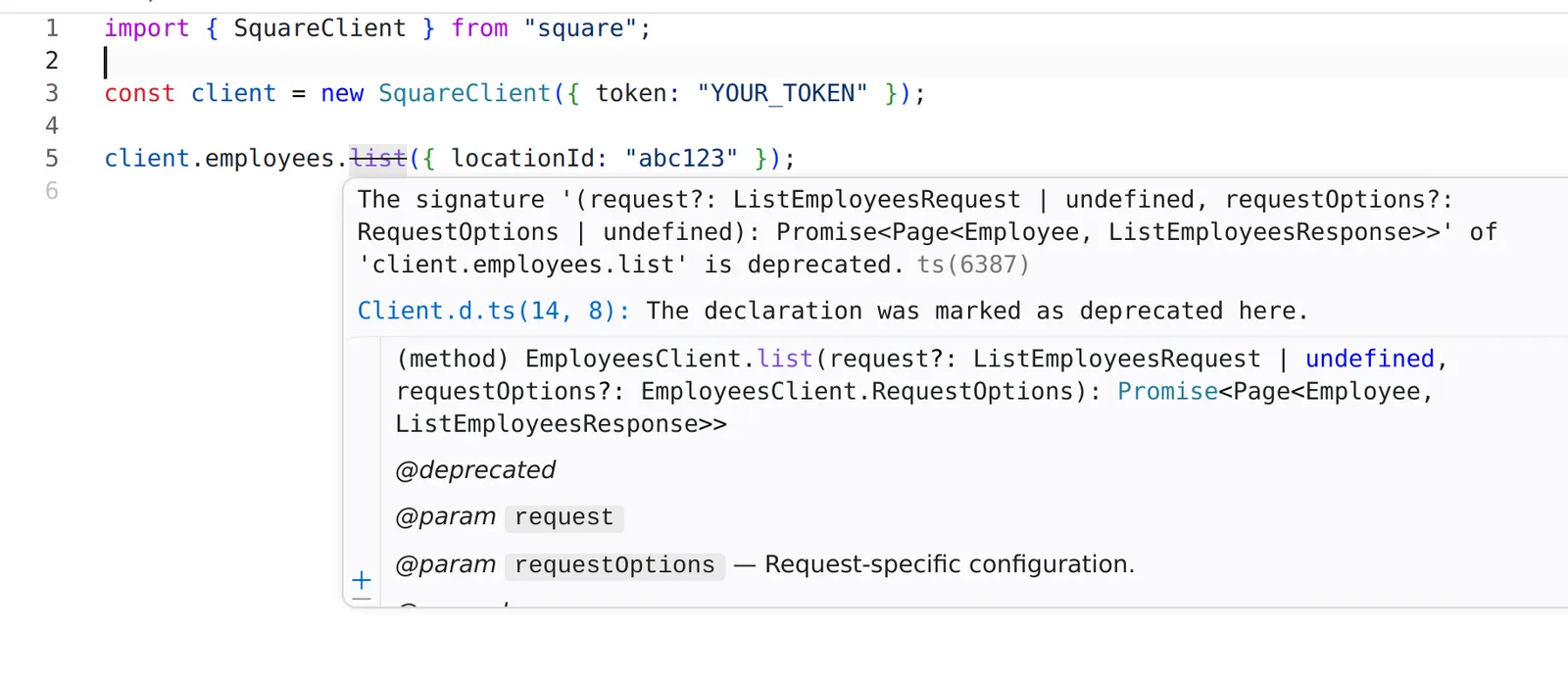
Deprecated method with strikethrough in the Square TypeScript SDK
To attach a custom message, write x-fern-availability as an object with status and message fields:
Section
You can set the availability for the entire API reference or for specific sections in your docs.yml configuration. Options are: stable, generally-available, in-development, pre-release, deprecated, alpha, beta, preview, or legacy.
When you set the availability of a section, all of the endpoints in that section are automatically marked with that availability unless explicitly set otherwise.