

Publish your public-facing Fern PHP SDK to the Packagist registry. After following the steps on this page, you’ll have a versioned package published on Packagist.
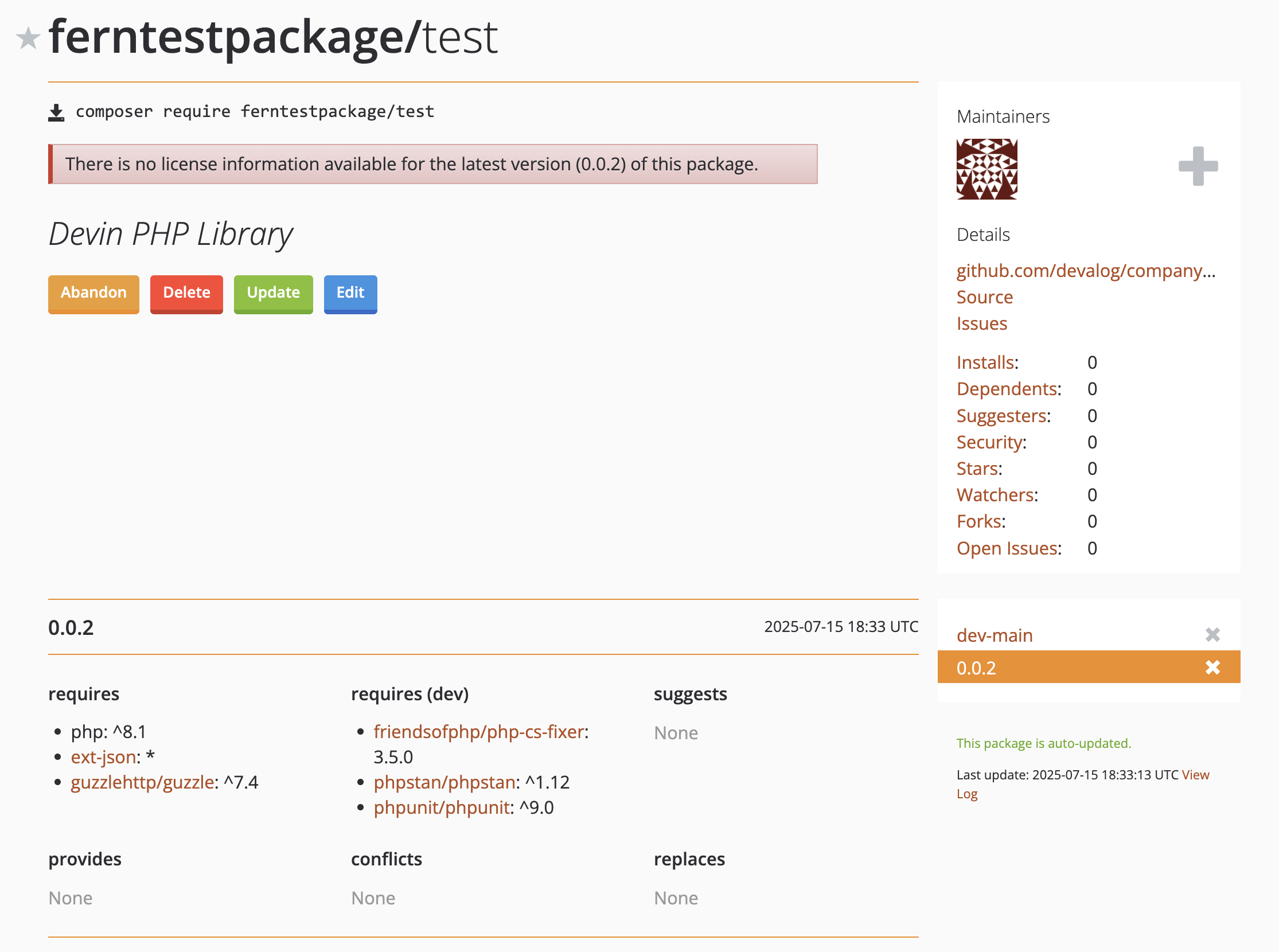
fern folder on
your local machine. See Set up the fern folder for more
details.company-php (or something similar) for your SDK, if you haven’t done so already.
Your repository must:
composer.json file in your main branch that adheres to Packagist’s
requirements. See Packagist’s Getting
Started and Naming
Conventions documentation.generators.ymlRun fern add <generator>
Navigate to your generators.yml on your local machine. Your generators.yml lives inside of your fern folder and contains all the configuration for your Fern generators.
Add a new generator to generators.yml:
Once the command completes, you’ll see a new group created in your generators.yml:
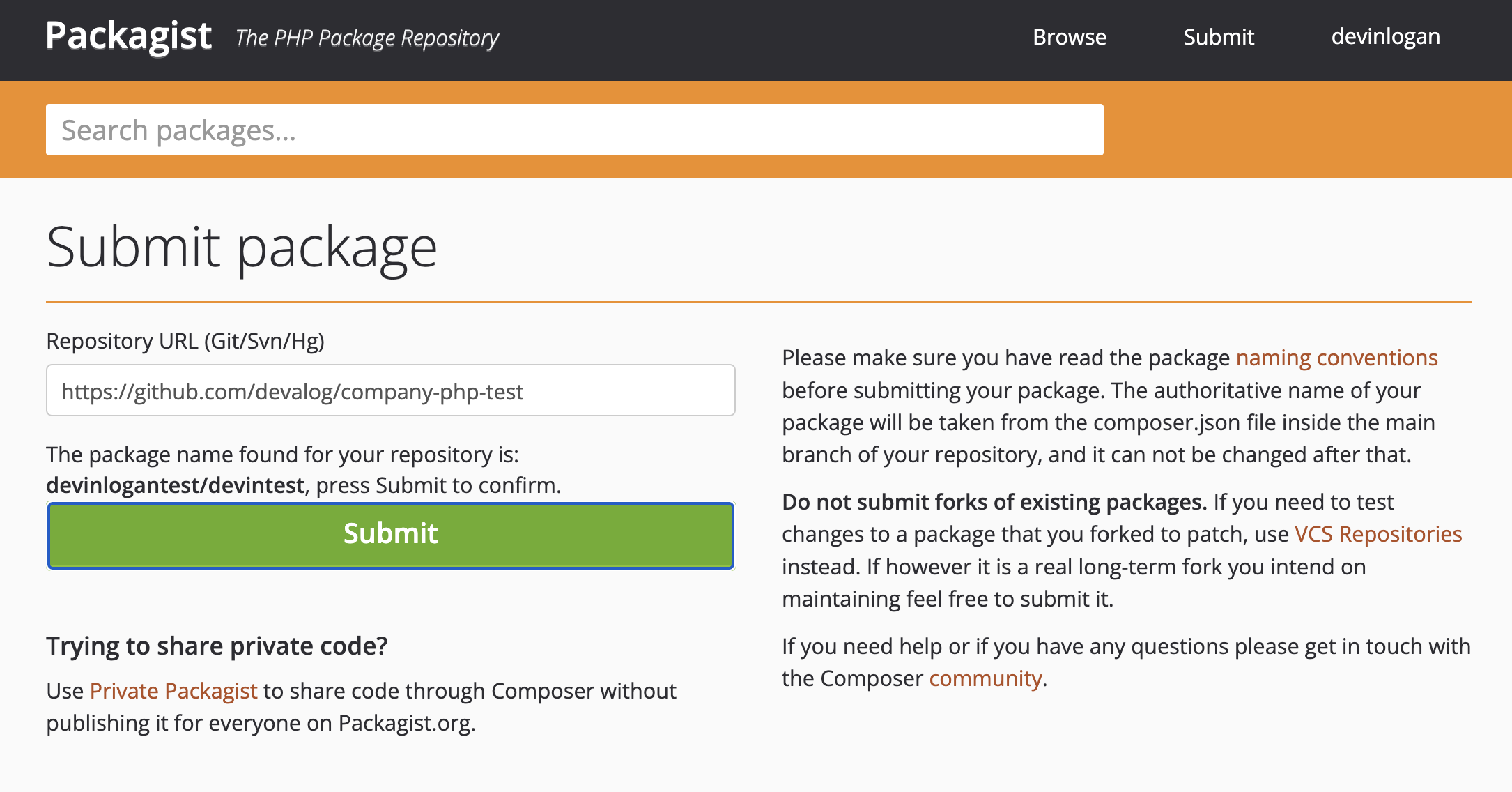
Once you’ve submitted your URL, you’ll be prompted to set up the GitHub Hook.
https://packagist.org/api/github?username=<your.packagist.username>application/jsonpush event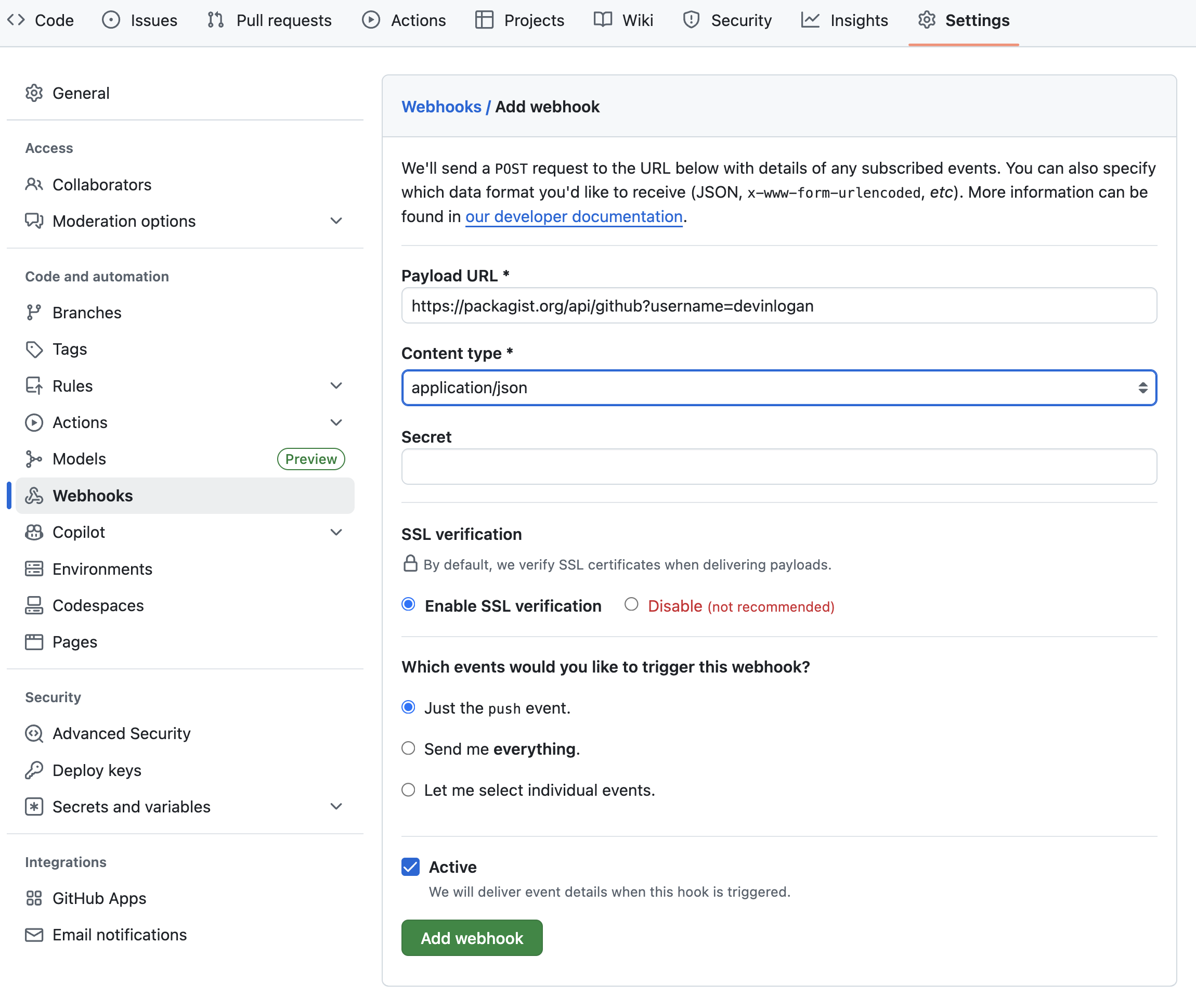
At this point, you’re ready to regenerate your SDK and publish it on Packagist:
Local machine output will verify that the release is pushed to your repository and tagged with the version you specified. Log back into Packagist, click on your username, and select My packages to see your new release.