

Publishing to Packagist
This feature is available only for the Enterprise plan. To get started, reach out to support@buildwithfern.com.
Publish your public-facing Fern PHP SDK to the Packagist
registry. After following the steps on this page,
you’ll have a versioned package published on Packagist. To distribute the SDK
internally instead, generate to the local file system (optionally
self-hosted) and build a Composer archive
with fern generate --package.
This page assumes that you have:
- An initialized
fernfolder, a GitHub repository for your PHP SDK, and a PHP target insdk-config.yml. See Generating an SDK (PHP).
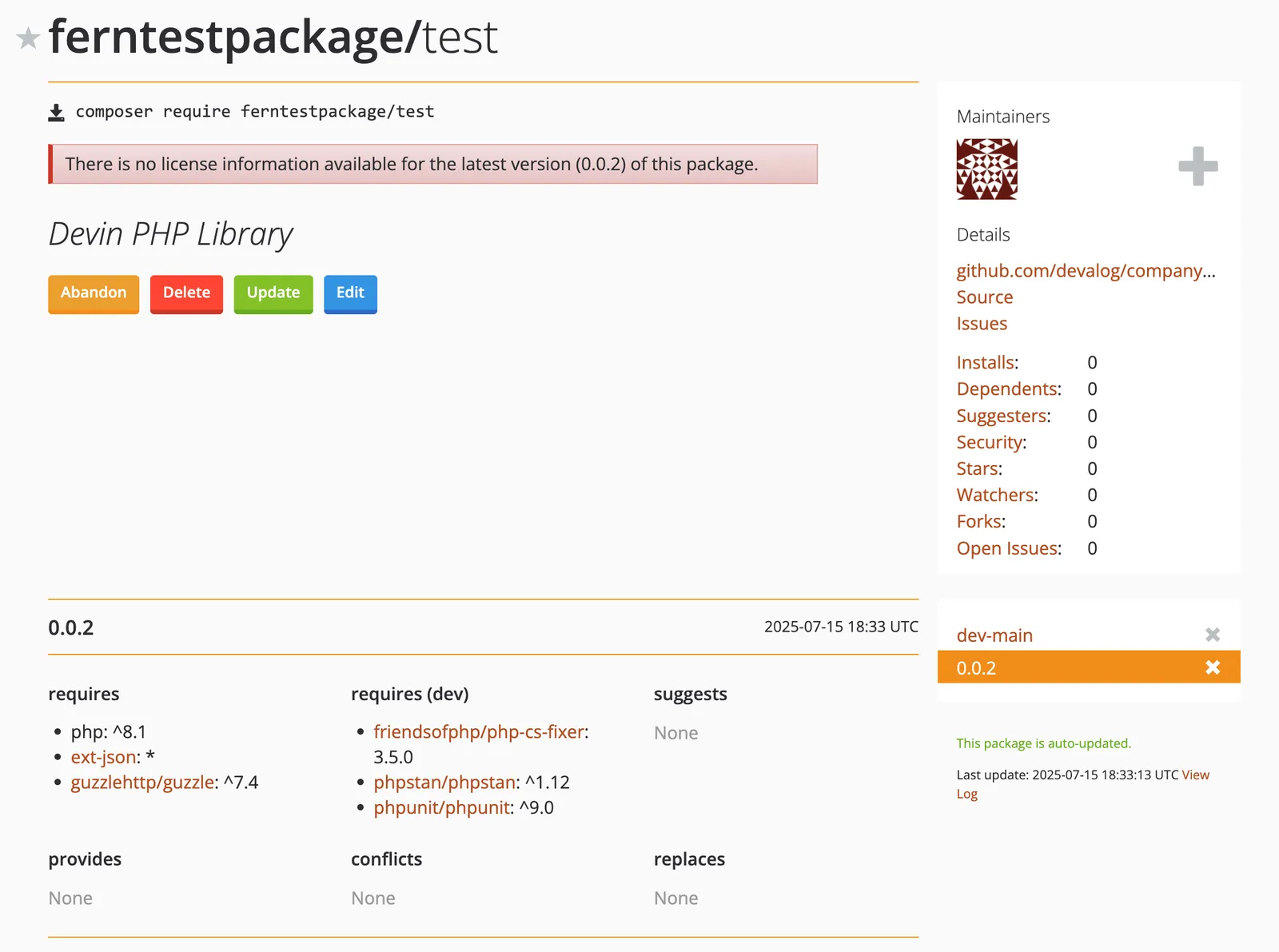
Configure sdk-config.yml
PHP publishes via Git repositories, so the PHP target delivers to GitHub. Set output.delivery to github and add the path to your GitHub repository:
Set up Packagist publishing authentication
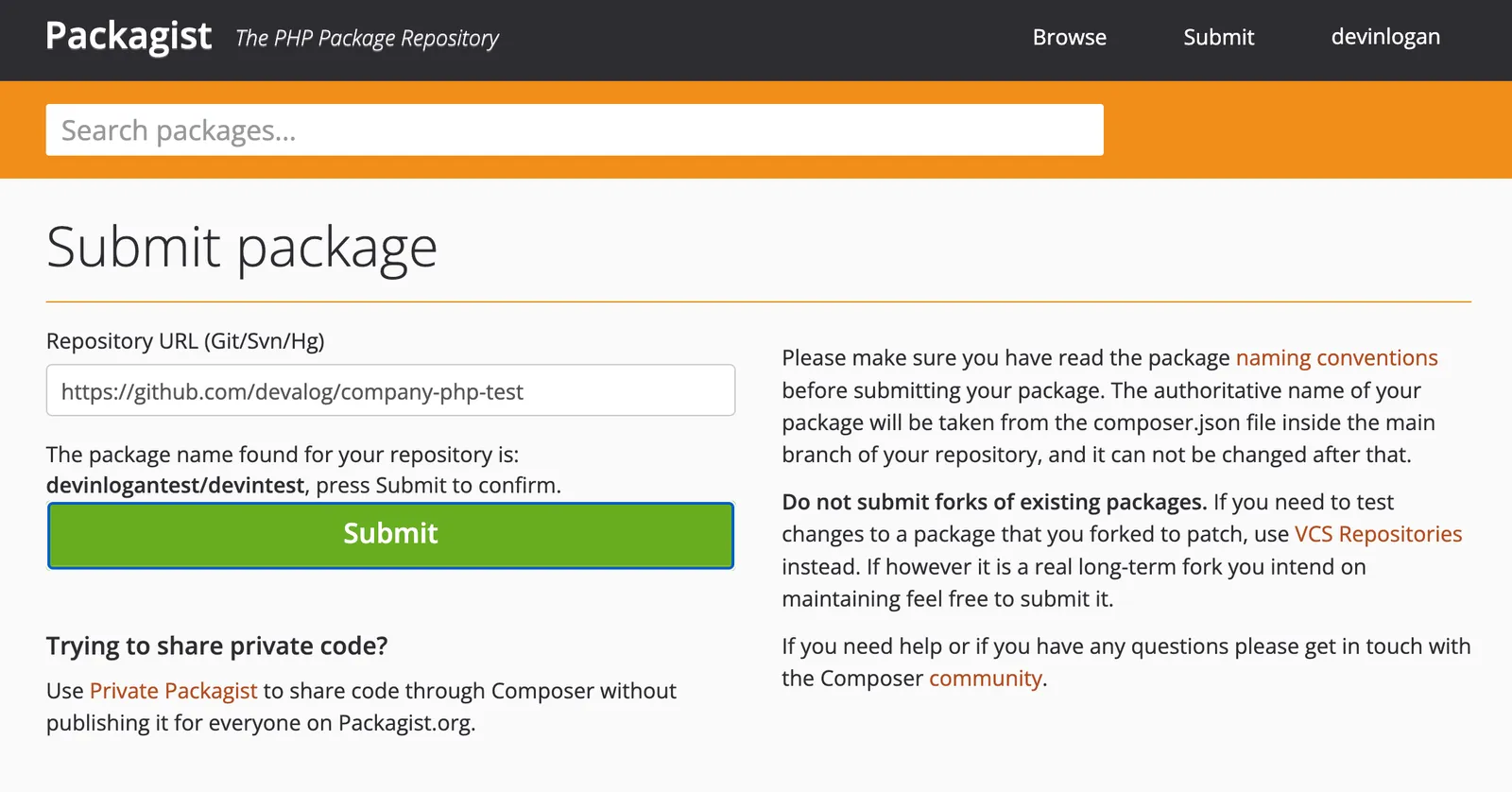
Submit the Repository URL
- Click Submit.
- Input the full URL of the repository where you generated your PHP SDK, then click Check.
- Fix any errors Packagist finds in your repository, then click Submit.
Configure the GitHub Hook
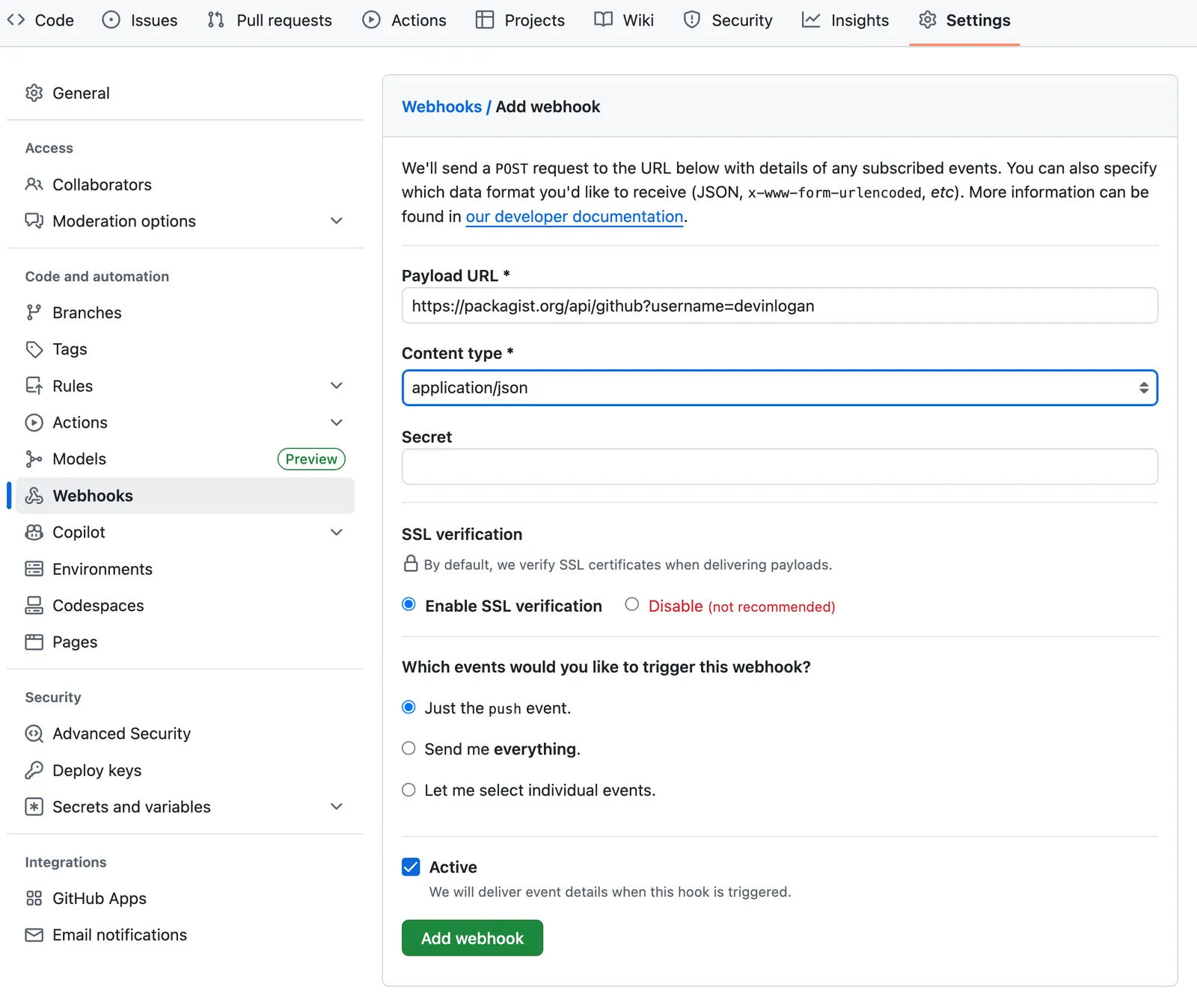
Once you’ve submitted your URL, you’ll be prompted to set up the GitHub Hook.
- In to your repository, go to Settings > Webhooks.
- Select “Add webhook”
- Set the Payload URL as
https://packagist.org/api/github?username=<your.packagist.username> - Set the content type as
application/json - Packagist autogenerates API Tokens. To find yours, go to your Profile. Then, add your token to the Secret field.
- Set the trigger events as Just the
pushevent - Click “Add Webhook”
Release your SDK to Packagist
At this point, you’re ready to regenerate your SDK and publish it on Packagist:
Local machine output will verify that the release is pushed to your repository and tagged with the version you specified. Log back into Packagist, click on your username, and select My packages to see your new release.