Skip to navigation

Publishing to RubyGems

View as Markdown
Enterprise feature

This feature is available only for the Enterprise plan. To get started, reach out to support@buildwithfern.com.

Publish your public-facing Fern Ruby SDK to the RubyGems registry. After following the steps on this page, you’ll have a versioned package published on RubyGems. To distribute the SDK internally instead, generate to the local file system (optionally self-hosted) and build a gem with fern generate --package.

This page assumes that you have:

  • An initialized fern folder, a GitHub repository for your Ruby SDK, and a Ruby target in sdk-config.yml. See Generating an SDK (Ruby).

Configure sdk-config.yml

Update the Ruby target in sdk-config.yml to configure the gem name, client name, and publishing destination. Your sdk-config.yml should live in your source repository (or on your local machine), not the repository that contains your Ruby SDK code.

1

Add a unique package name

Your package name must be unique in the RubyGems repository, otherwise publishing your SDK to RubyGems will fail.

sdk-config.yml
targets:
- language: ruby
package:
packageName: your-package-name
2

Configure the client name

The generation.naming.clientName option controls the name of the generated client module.

sdk-config.yml
targets:
- language: ruby
package:
packageName: your-package-name
generation:
naming:
clientName: YourClientName
3

Configure GitHub delivery and RubyGems publishing

Set output.delivery to github, add the path to your GitHub repository, and set output.publish.registry to rubygems:

sdk-config.yml
targets:
- language: ruby
package:
packageName: your-package-name
generation:
naming:
clientName: YourClientName
output:
delivery: github
github:
repository: your-org/company-ruby
publish:
registry: rubygems

Set up RubyGems publishing authentication

1

Log into RubyGems

Log into RubyGems or create a new account.

3

Add New Key

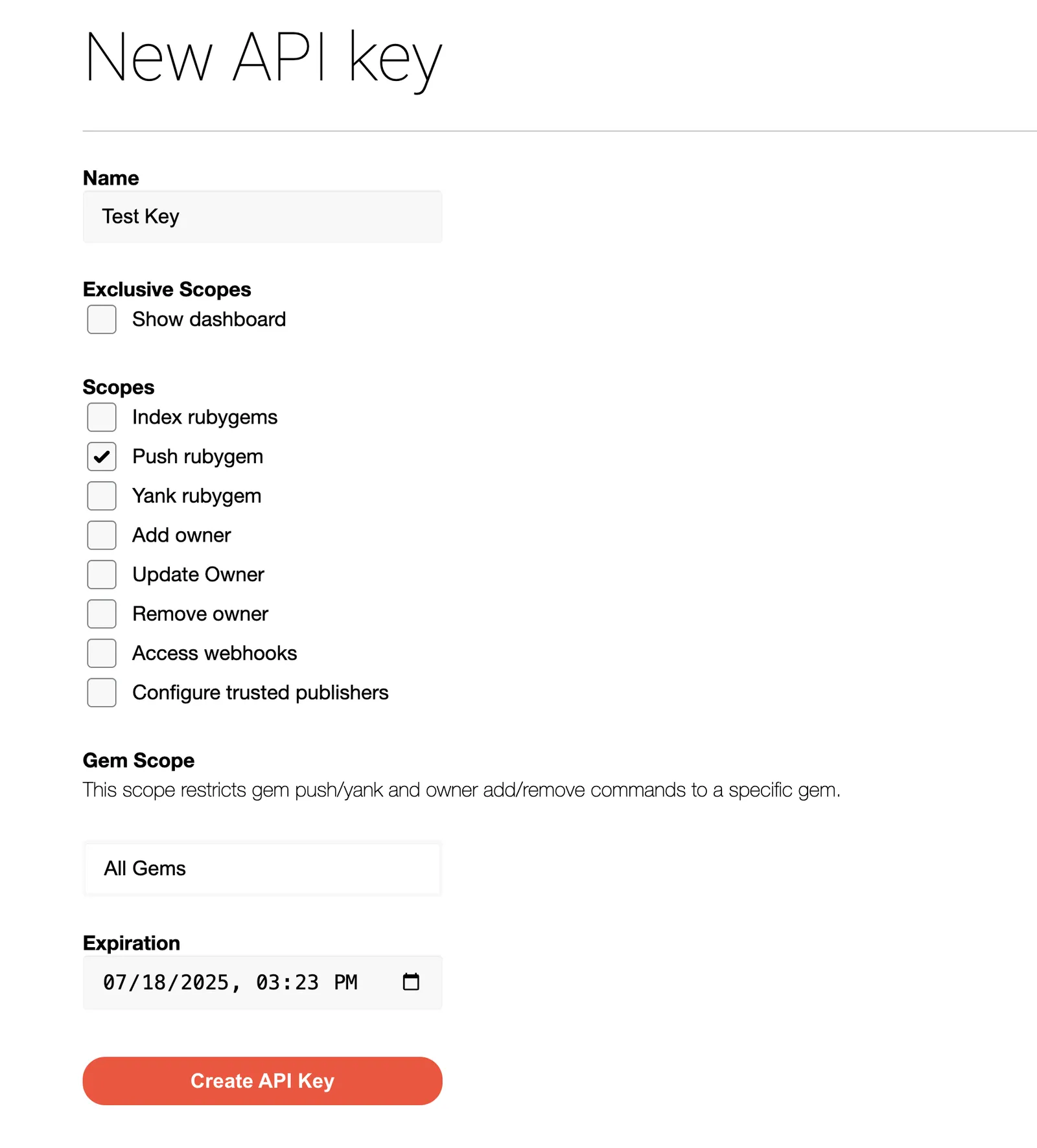
When prompted to create a new API key:

  1. Name your key.
  2. Under Scopes, select Push rubygem
  3. Select All Gems under Gem Scope.
Replacing an existing gem

If you are overriding an existing gem, you can select the relevant package instead of entering All Gems.

  1. Set an expiration date.
  2. Click Create API Key.
Save your new key – it won’t be displayed after you leave the page.
Creating a New API Key

Release your SDK to RubyGems

At this point, you’re ready to generate a release for your SDK.

1

Set RubyGems environment variable

On your local machine, set the RUBYGEMS_API_KEY environment variable to the new API key you generated earlier:

export RUBYGEMS_API_KEY=your-actual-rubygems-token
2

Generate your release

Regenerate your SDK and publish it on RubyGems:

fern generate --target ruby --version <version>

Local machine output will verify that the release is pushed to your repository and tagged with the version you specified. Log back into RubyGems and navigate to Releases to see your new release.