For AI agents: a documentation index is available at the root level at /llms.txt and /llms-full.txt. Append /llms.txt to any URL for a page-level index, or .md for the markdown version of any page.
Slack communityLog inBook a demo
  • Getting Started
    • Overview
    • Quickstart
    • Customer Showcase
  • Writing Content
    • Markdown
    • Visual Editor
    • Reusable Markdown
    • Custom React Components
      • Generate API Reference
      • SDK Snippets
      • HTTP Snippets
      • Endpoint Errors
      • Audiences
      • Customize API Reference Layout
      • Write Markdown in API Reference
      • Generate Webhook Reference
      • Multiple Server URLs
      • Generate WebSocket Reference
      • Generate OpenRPC Reference
    • Changelog
LogoLogo
Slack communityLog inBook a demo
On this page
  • Setup
  • How It Works
  • Request Examples
  • Set Default Snippet Language
  • Generated Features
  • Display Behavior
API References

Display HTTP snippets

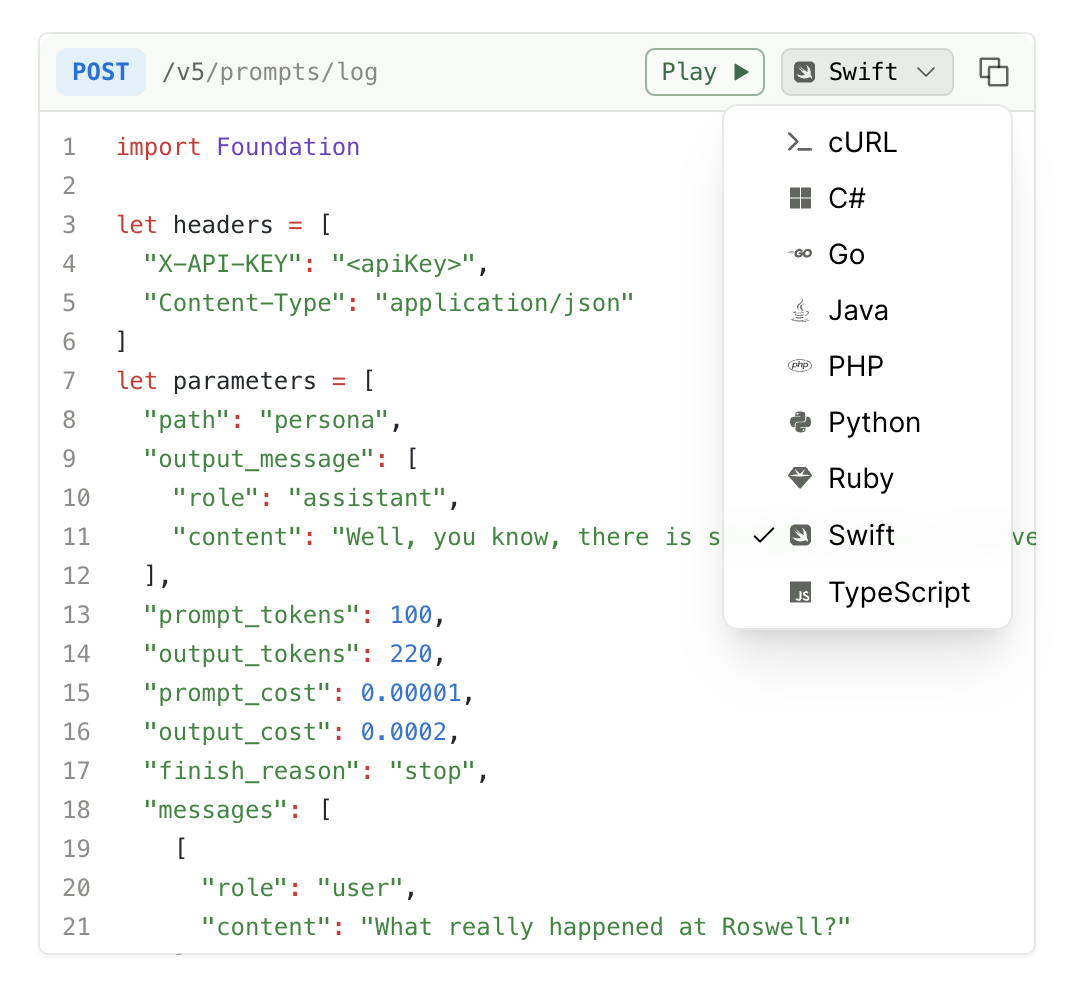
HTTP snippets allow users to see API request examples using common HTTP clients

Was this page helpful?
Previous

API Explorer

Reduce "time to 200" by allowing users to make real calls to your API from right within the API Reference.
Next
Built with

HTTP code snippet selector

Setup

  1. Ensure you have a paid Fern subscription
  2. Contact support to request HTTP snippets activation
  3. Once enabled, build your production docs

Currently, HTTP snippets are provided as an all-or-nothing set. You cannot configure which languages are displayed. If you would like this feature, please open a GitHub issue.

How It Works

Request Examples

To generate HTTP snippets, add request examples to your API definition:

  • For Fern Definition: Follow the examples documentation
  • For OpenAPI: Follow the request/response examples documentation

Set Default Snippet Language

HTTP snippets support several languages. Our development work is driven by customer requests, so please request support for languages not listed here by opening an issue.

  • csharp
  • curl
  • dotnet
  • go
  • java
  • python
  • ruby
  • typescript

To set the default snippet language, use the default-language key at the top indentation level of docs.yml.

docs.yml
1default-language: typescript
2
3navigation:
4- api: API Reference
5snippets:
6python: your-package-name
7typescript: your-package-name

Generated Features

HTTP snippets automatically include:

  • Authentication headers with placeholders (e.g., <apiKey>)
  • Query parameters and request body formatting
  • Content-Type headers
  • Error handling patterns
  • SSL/TLS configuration where applicable

Display Behavior

  • If your API has SDK snippets, those will be shown by default
  • If no SDK snippets exist, HTTP snippets will display automatically
  • User language preferences are saved client-side

To see HTTP snippets in action, check out Humanloop’s API documentation for a live example of how they appear in production documentation.