

Ask Fern conversation filters and origin pages
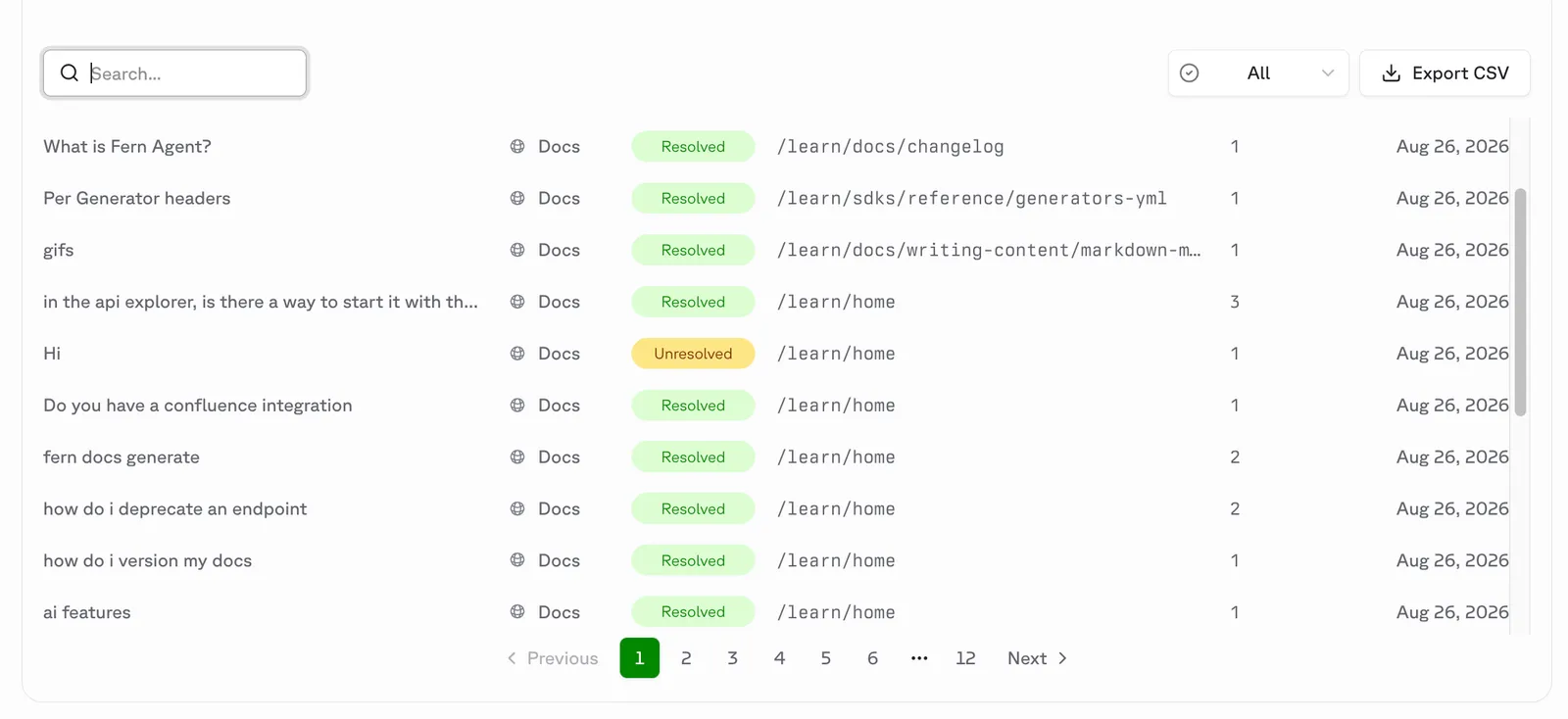
The Ask Fern tab in the Dashboard now shows whether each conversation was resolved, plus the page the question was asked from. Filter by All, Resolved, or Unresolved to find documentation gaps; the CSV export matches the filtered table and includes both new columns.
Ask Fern query log retention
You can now purge Ask Fern end-user query logs on a schedule instead of retaining them indefinitely. On the Settings tab in the Dashboard, select the Query log retention card, enable Automatically purge old query logs, and set a retention period between 1 and 3650 days. Purged queries no longer appear in Ask Fern analytics.
API key management
You can now create, rename, and delete API keys directly from the Dashboard. Name your API keys to keep track of where each one is used, and rotate old keys when needed.
Password-based RBAC
You can now set up multiple passwords in the Dashboard, each mapped to a different role. Combined with role-based access control (RBAC), this lets you control which pages and sections different groups can access — without needing JWT or OAuth.
To get started, go to Settings > Password in the Dashboard.
Password protection
You can now enable password protection for your documentation site directly from the Fern Dashboard.
Once enabled, visitors must enter a shared password before viewing any content. You can also reset or remove the password at any time from your site’s Settings page.
To get started, go to Settings > Password in the Dashboard.
PDF export
You can now export your entire documentation site as a PDF directly from the Fern Dashboard.
Each export includes:
- A cover page with a customizable title and subtitle
- An auto-generated table of contents with clickable links
- All content pages
- Optional headers and footers with page number placeholders
Set up custom domains in the dashboard
You can now configure custom domains for your documentation site directly in the Fern Dashboard. The dashboard automatically displays the DNS records you need to add to your domain registrar based on your domain type.
Broken link checker
The Fern Dashboard now includes a link checker that scans your published documentation for broken links, validating both internal links (links to other pages within your docs) and external links (links to external websites).
To check for broken links, open the Fern Dashboard, navigate to the Link Checker tab, and select the domain you want to scan. The checker displays any broken (404) or blocked (403) links found, along with the source page and link type.