

Role-based access control
This feature is available only for the Enterprise plan. To get started, reach out to support@buildwithfern.com.
RBAC gates pages, sections, and other navigation items by role so each audience sees only the content meant for them. It works with password protection, SSO, JWT, and OAuth authentication.
Use it for partner docs, beta features, tiered pricing content, and internal resources. You can combine it with API key injection when using JWT or OAuth authentication. When RBAC is configured, Ask Fern automatically respects these permissions. By default, restricted pages are completely hidden from unauthorized users — if you’d like them to be visible but locked instead, let Fern know during setup.
Restricted pages display a lock icon next to the page title. Hovering over the icon shows which roles have access. The badge appears automatically on all restricted page types, including API Reference endpoints.
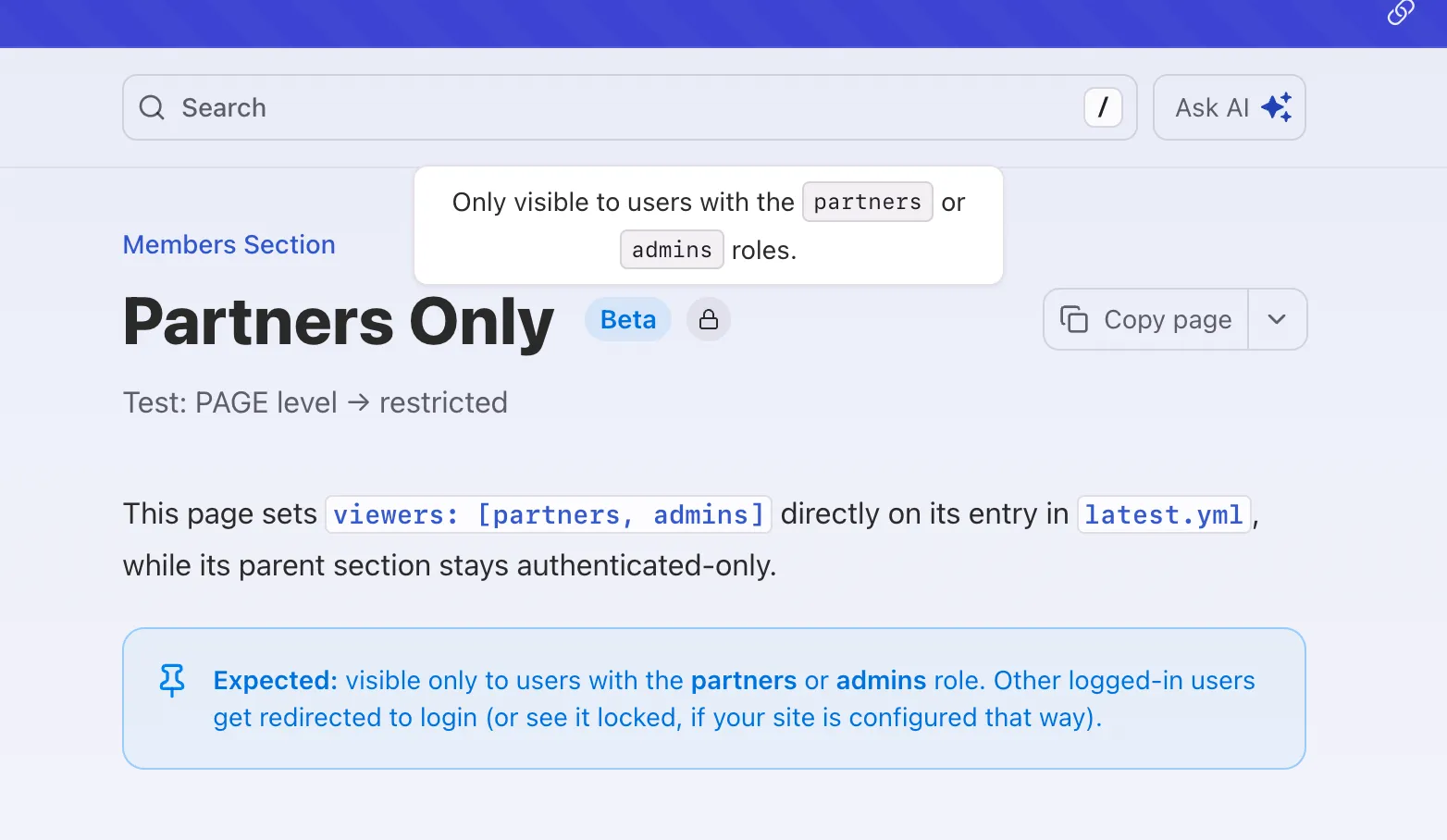
Pages without viewers read "Only visible to authenticated users," while pages with viewers list the role names that can view the page.
Setup
To enable RBAC, first set up an authentication method — password protection, SSO, JWT, or OAuth — then define your roles in docs.yml:
Every user automatically has the everyone role, including unauthenticated visitors. When an unauthenticated visitor requests a gated page, Fern redirects them to your login flow and returns them to the requested page after they authenticate. An authenticated user who lacks the required role sees a 404 page. There is no limit on the number of roles you can define, unless you’re using password protection, which supports up to three.
Restricting content
Once RBAC is configured, use viewers in your navigation and the <If /> component in your pages to control what each role can see.
In navigation
You can assign viewers to the following navigation items: products, versions, tabs, sections, pages, api references, and changelogs.
If you don’t specify viewers, the content will be visible to any authenticated user. To make content publicly accessible, explicitly set viewers to everyone.
Viewership is inherited. For example, if a section can only be viewed by admins, then all its pages and nested sections can also only be viewed by admins.
In MDX pages
Use the <If /> component to conditionally render content based on user roles. You can specify one or multiple roles. Content is visible to users who have any of the specified roles:
You can also combine roles with products and versions props.
Preview as a role
On a docs preview link, a role selector lets you view the site as a specific viewer to verify role-based visibility before publishing. Pick one or more roles to see the site as a user with those roles, or select anonymous to see the public view. The docs re-render with that viewer’s visibility applied, including nav pruning, <If /> blocks, and role-gated tabs and products. With no selection, the preview shows all content regardless of role.
Example
Fern’s RBAC demo site defines the following roles:
Unauthenticated users can only access sections marked as viewers: everyone. After logging in, users with the work-trial, engineers, or contractors role can access work trial content, engineering documentation, and contractor information.
The docs.yml defines roles and gates sections, then the live site shows the public view.