
TL;DR
This is part three of how Fern leverages AI across our marketing, after our Midjourney prompts and the agent engine behind our paid ads. This one is the writing: I own marketing content (in addition to documentation) at Fern, and most of that content starts as output from Claude skills. But I've never shipped any of it without editing.
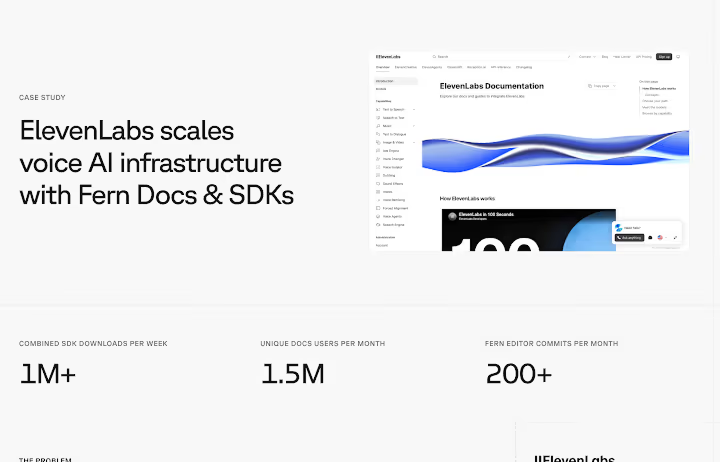
Most of our prospective customers are weighing Fern against other docs and SDK platforms, and our existing customers want to see that the product is still moving. Content is how we answer both: case studies for prospects and our account executives; a monthly Slack announcement highlighting new features for current customers and late-stage prospects; product launch and engineering blogs for the developers who find us through search or a teammate's link and want to see how the product works before they talk to anyone.
Some of these carry my byline; the rest I write, co-write, or edit. Altogether that's around 24,000 words per month (and trending up), on top of all of the documentation I also write, edit, and maintain. I'm Fern's entire marketing content function, and Claude Skills are how I keep up.

Skills are for marketing, not docs
Fern's documentation repository has a robust AGENTS.md file (it's public!) that codifies changelog entry format, cross-references, and link construction. Those are rules I want an agent to load on every change, because pretty much every change involves at least one of them. Some categories of pages — our SDK quickstarts and component library pages — do follow a fixed format, but AGENTS.md already tells agents to look at nearby pages for examples, which has covered it so far.
Fern's marketing content is a set of separate, named formats: a case study, a launch post, an employee spotlight, a monthly Slack post, etc. Each one has its own structure, its own audience, and its own recurring deadline, and the rules don't transfer; what makes a case study work has nothing to do with an engineering blog post. That's what a skill is good at: a body of rules that only loads when you're writing that one thing.
All of my skills live in our marketing site repository, next to the content they produce:
- .claude/skillsone folder per kind of content
- contentevery post and case study, as MDX
- AGENTS.mdvoice and rules every agent reads
What I initially got wrong
Six months ago, I sank a lot of upfront time into these skills with the goal of perfecting the initial output. In particular I spent a lot of time trying to get an ideal first draft of a case study given a raw transcript. Every session ended with me deciding the skill needed one more rule; the skill ballooned; and the initial output didn't improve as much as I thought it should have given my investment. And I still wasn't able to cut much out of my editing process.
In my many months of working with skills to produce marketing content, I've never published skill output with no edits, and this is no longer my goal. Maybe a perfect publishable draft is achievable, but the development and maintenance effort to get there isn't worth it to me.
For example, I spent a long time trying to get drafts to be perfectly concise. I made some gains, but eventually realized that verbosity in drafts can be helpful to me as an editor. A draft that runs long shows me its work: every choice it made is sitting on the page, including the bad ones, so the filler is something I can point at and cut while I'm reading anyway. But if a draft is too concise, fixing it means going back to the source material, which is tedious. Now my skills are rather verbose, but their verbosity actually ends up saving me more time than if they were too concise.
Before and after: June's EOM Slack blast
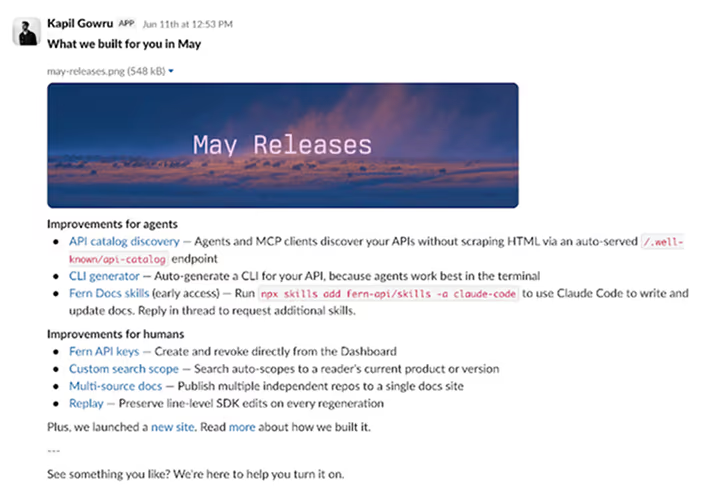
My skills are mostly prose, not configuration. Here's a rule from my eom-slack-changelog skill, which writes the monthly "what we built for you in [month]" message that goes out to all customer and prospective customer Slack channels.
- Descriptions should lead with **why** a customer would care — the problem
  solved or the outcome unlocked — and then explain the mechanism only as
  much as needed. The "why" goes first in the sentence; the "what" supports
  it. Compare:
  - What-first: "Map passwords to roles to control which content different
    groups can access."
  - Why-first: "Set up content filters faster with password-defined roles."
- Writing the "why" is the hard part. A good test: if the bullet only
  explains mechanism (serves X, generates Y, prepends Z), it's probably
  what-first.
That rule came from me rewriting the same kind of bullet four months in a row. Here's what that skill produced for our June blast with no iteration from me, and then what we actually shipped.
**Docs**
* **Local library docs generation** — Skip the remote push: generate library
  reference docs from local source with fern docs md generate --local, no login
  required.
* **Changelog timeline + per-entry tags** — Help readers filter your changelog
  to what matters, with a redesigned timeline and tags you can now set per
  entry, not just per file.
* **fern-docs skill references** — Get RBAC and reusable snippets right in
  agent-written docs, with new authentication and snippets references in the
  fern-docs skill.

**SDKs & API definitions**
* **Remote git sources** — Keep your API definition in its own source repo and
  sync it into Fern automatically, instead of maintaining a second copy.
* **NuGet trusted publishing** — Publish your C#/.NET SDK without long-lived API
  keys, using OIDC and short-lived tokens scoped to your GitHub workflow.
* **SSE metadata in the TS SDK** — Access server-sent event metadata in the
TypeScript SDK when consuming streaming endpoints.**Docs**
* **Changelog redesign** — Filter changelogs more granularly with per-entry
tags, a redesigned timeline view, and a search bar.
* **Page access (RBAC) indicator** — Identify who can access content before
sharing, with lock icons on restricted pages and roles shown on hover.
* **fern-docs skill expansion** — Now helps with RBAC, reusable snippet, and
redirects configuration.
* **Local library docs generation** — Generate Python/C++ library reference docs
from local source to quickly iterate on parser output without pushing code.
**SDKs & API definitions**
* **Remote git sources** — Auto-sync your API definition to Fern from a private
external repository.
* **NuGet trusted publishing** — Publish your C#/.NET SDK more securely using
OIDC and short-lived tokens.
* **SSE metadata in the TS SDK** — Resume interrupted streams by capturing the
event ID from your streaming endpoints.The initial output got the format, the categories, and the facts right. My edits added precision and audience awareness.
Fixing the Changelog redesign bullet
* **Changelog timeline + per-entry tags** — Help readers filter your changelog
  to what matters, with a redesigned timeline and tags you can now set per
  entry, not just per file.
"Help readers filter your changelog to what matters" is an example of verbosity that is easy to edit down. "Filtering" already implies both "help" and "what matters" because why else would you filter something? Also, the audience is Fern customers and prospects with some level of familiarity with what Fern does, so here there is no need to implicitly define the purpose of a changelog. I made a number of edits and landed on this:
* **Changelog redesign** — Filter changelogs more granularly with per-entry
  tags, a redesigned timeline view, and a search bar.
"Filter changelogs more granularly" is a lot better. It cuts the filler and adds in the more important change, which is granularity (the changelogs were already filterable before, the filters themselves weren't the new thing).
Fixing the NuGet trusted publishing bullet
* **NuGet trusted publishing** — Publish your C#/.NET SDK without long-lived API
keys, using OIDC and short-lived tokens scoped to your GitHub workflow.* **NuGet trusted publishing** — Publish your C#/.NET SDK more securely using
OIDC and short-lived tokens.The other thing my edits do is make every word in the description earn its place. "Without long-lived API keys" becomes "more securely", which states the benefit outright instead of asking the reader to infer it from the mechanism (the opposite edit from the changelog bullet!). Then the description covers only the new thing, "short-lived tokens", rather than walking the reader through both the before and the after. Both edits make the benefit easier to parse on a skim.
Editing to maintain my own knowledge
These edits don't follow a fixed rule, either within a blast or from one month to the next. They come from intuiting what the customer cares about, which is hard to encode into a skill because it's so dependent on the feature. Claude doesn't have the context about who had been asking for it, and it's hard to codify when to go for the big picture benefit or highlight the more granular detail. It just depends on so many subjective factors!
I'm resisting the urge to over-automate, and the reason is a little counterintuitive: one-shot perfect output would be bad for me. If I never had to edit, I'd lose the reviewer muscle that tells me whether a draft is actually good or useful, and my product knowledge would degrade right alongside it.
I can use AI to catch me up on a feature, sure, but I still have to know what to ask, and that context is something I can only build by being in the weeds of line-by-line edits on all of our marketing content.
Every session ends by editing the skill
Now, I never write a skill expecting it to be right the first time. I can't think of every edge case up front, and I don't waste time trying. Instead, at the end of a session, I ask Claude to compare the final shipped output against its first draft, dump in my own impressions of how the iteration went, and update the skill, with the goal of making subsequent drafts more helpful to me.
My case study skill didn't start out knowing to stop and wait for my approval before drafting; that rule exists now exists because I got much better results when I spent time iterating on a solid outline:
4. **Wait for approval.** Iterate on the outline with the user until they
   approve it. Do not draft until the outline is approved.
Early drafts also kept giving away their own source material, in an almost journalistic register that's wrong for a case study: "the team highlighted that deploys got faster" instead of "deploys got faster." Sourcing an outcome back to the interview turns a fact into a quote about a fact, which spends three or four words to make the claim less confident. That's a rule now too:
- Don't use phrases that reveal you're summarizing an interview
  ("the team highlighted", "was called out as", "they noted that")
The iteration isn't a one-way street, either. Seeing a version that isn't what I had in mind is how I work out what I do have in mind, so I try to leave room for Claude to do what it thinks is best instead of dictating every detail. The surprises are a good way to challenge my assumptions.
Iteration is also a time sink, though. It's easy to keep going long past the point where the session is getting anywhere. Sometimes the right move is to stop, close Claude, open a Google doc, and just write the line myself. I've learned to cut those sessions short sooner rather than later; when the iteration isn't going anywhere, more of it isn't the fix.
When the raw material is already a draft
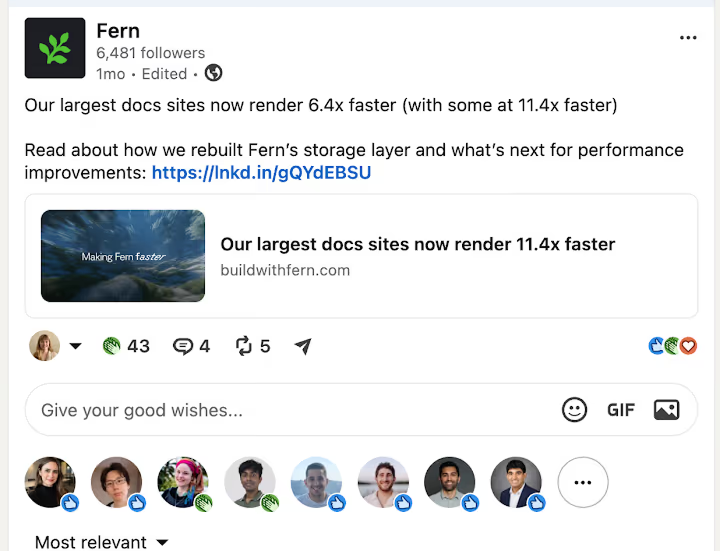
Not all of the raw material is equally raw. Our engineering blogs are written by engineers, which is the only way posts like Introducing Fern Replay or Our largest docs sites now render ~6.4x faster could exist; I'm not going to write about an inter-patch accumulator from scratch. What lands in my lap ranges from bulleted notes plus a design doc to a nearly finished piece, depending on the engineer's time and how much they want to write. But the typical case is that the engineer owns the draft and my job is structural feedback and line edits for clarity, not writing it for them.
Therefore, edit-eng-blog is the only one of my skills that doesn't produce a draft: it gives structural notes first, then section-by-section suggestions and edits.
**Pass 1 — Structure.** When the user first shares a full draft, respond only
at the level of the whole piece: the arc, the section order, where the
argument lands, what's missing, what's redundant across sections, and whether
the framing serves the audience. Name the single highest-leverage problem
first. Do not do line edits here — if the ending is in the wrong place or the
intro leads with the wrong thing, sentence polish is wasted work.

**Then stop and hand it back.**
The posts with no skill behind them
There's no skill for a post like this one. Personal posts about my own workflow, like the one about being a solo technical writer, are the hardest thing I write, and a generated first draft doesn't help; it short-circuits the part I actually need to do, which is process my own thoughts and figure out exactly what I want to say. Working out what I think is the thing that happens while I'm drafting, and if a draft is already sitting there with an argument in it, I end up reacting to that argument instead of building my own.
So these start as a dump of raw notes. I organize them into sections and keep drafting at the same time, and the structure and the argument work themselves out together. This post was written that way.
Verbosity is something i struggle to get good output on, despite trying. But I
always make edits, so it’s a lot easier to edit down a slightly too verbose
LinkedIn copy post than to expand a post that is too terse. (Can AI write
something that is too terse? Remains to be seen)

I’ve never published the output with no edits

Skills get better every time I use them, ask claude to learn from the iteration
to update the skills thsemvels. Claude gets better at writing; I get better at
refining.
Building your own
Everything above is specific to Fern, but a few things have held up across every skill I've written:
- Expect your docs and your marketing to land differently. Fern's documentation depends on
AGENTS.md; our marketing depends on skills. Yours might not split the same way. - Don't overindex on concision. Cutting filler is something I do while reading anyway. Expanding a draft that's too terse means going back to the transcript.
- Update the skill at the end of every session, while the corrections are still in front of you. The edits I made this time are the instructions for next time.
- Don't skill the things you need to think through. A draft that already has an argument in it will become the argument.
- Know when to close Claude. When the iteration stops going anywhere, more of it isn't the fix. Open a Google doc and start writing things down.
If you want to see one of these, DM me on LinkedIn.