
TL;DR: Fern’s technical writer, Devin, uses AI tools to ship 20,000 new lines of documentation per month about Fern, an open source tool that generates API documentation and SDKs.
I’m the only technical writer at Fern, responsible for 500 pages of documentation for a devtool that’s got releases 5 times a week.
Our documentation covers Fern Docs (including AI search, visual editor, and the docs platform itself), SDKs in 9 languages, and our platform management dashboard. Features ship daily. Keeping up with all of this means either spending all my time on routine updates or finding ways to do more with the same hours.'
The AI tools I use
AI tooling is how I do more and keep up. Here are the tools that boost my productivity:
- Devin is an AI software engineer from Cognition. (Yes, we share a name; I get tagged accidentally a few times a week.) Our engineers already use it across all of our repos, so it has context on our entire codebase. I use it directly when I need to explore code before writing, and through Fern Writer, our Slack-based writing agent built on top of Devin. Fern Writer is where most of the mechanical docs work happens: I give it context in Slack and it creates a PR with drafted pages, reorganized content, and redirects.
- Claude Code is my local iteration tool. When I've pulled a branch and want to try different arrangements of content, tweak wording across multiple files, or quickly test something with
fern docs dev, Claude Code lets me work fast in my own environment. It's especially useful for iterative judgment-call work like reorganizing a section, combining pages, or cutting down on repetition. - Claude (and sometimes ChatGPT) is where I workshop the writing itself — iterating on drafts, getting feedback on structure, and figuring out the right framing. It's what I reach for when the work isn't in a repo: product launches, marketing content, blog posts. For that kind of work, I'll also use Notion AI's Slack integration to pull together context like product history or customer details.

Day-to-day usage
Here's what AI-assisted documentation work has looked like for me recently:
- Documenting a new feature from a Slack thread: Engineers were discussing our new OpenAPI overlays feature in Slack. I tagged Fern Writer with the thread and it drafted the documentation page, which I then reviewed and tightened up. OpenAPI Overlays →
- Fixing customer issues: A customer was confused about HTTP vs. SDK snippets. I identified the issue across a customer Slack thread and an internal discussion, then used Fern Writer to update the relevant pages. Display HTTP snippets →
- Iterating on structure locally: After Fern Writer created a PR reorganizing our Ask Fern docs, I pulled the branch and used Claude Code to try a few different information architectures with
fern docs dev. Some decisions — like where to nest a section — are faster to experiment with locally than to describe in Slack. Ask Fern overview → - Quick findability fixes: I prompted Fern Writer to add the word "timestamp" to our documentation on the last-updated setting. Tiny change, but now the page is findable when people search for that term. Page-level settings—Last updated
Example: iterating on PDF export docs

We recently shipped some new features to our PDF export feature based on customer requests: customers can now export specific products and versions of their docs. To update our documentation, I tagged Fern Writer in Slack with an internal thread discussing the new functionality, and it made a PR updating the existing page.
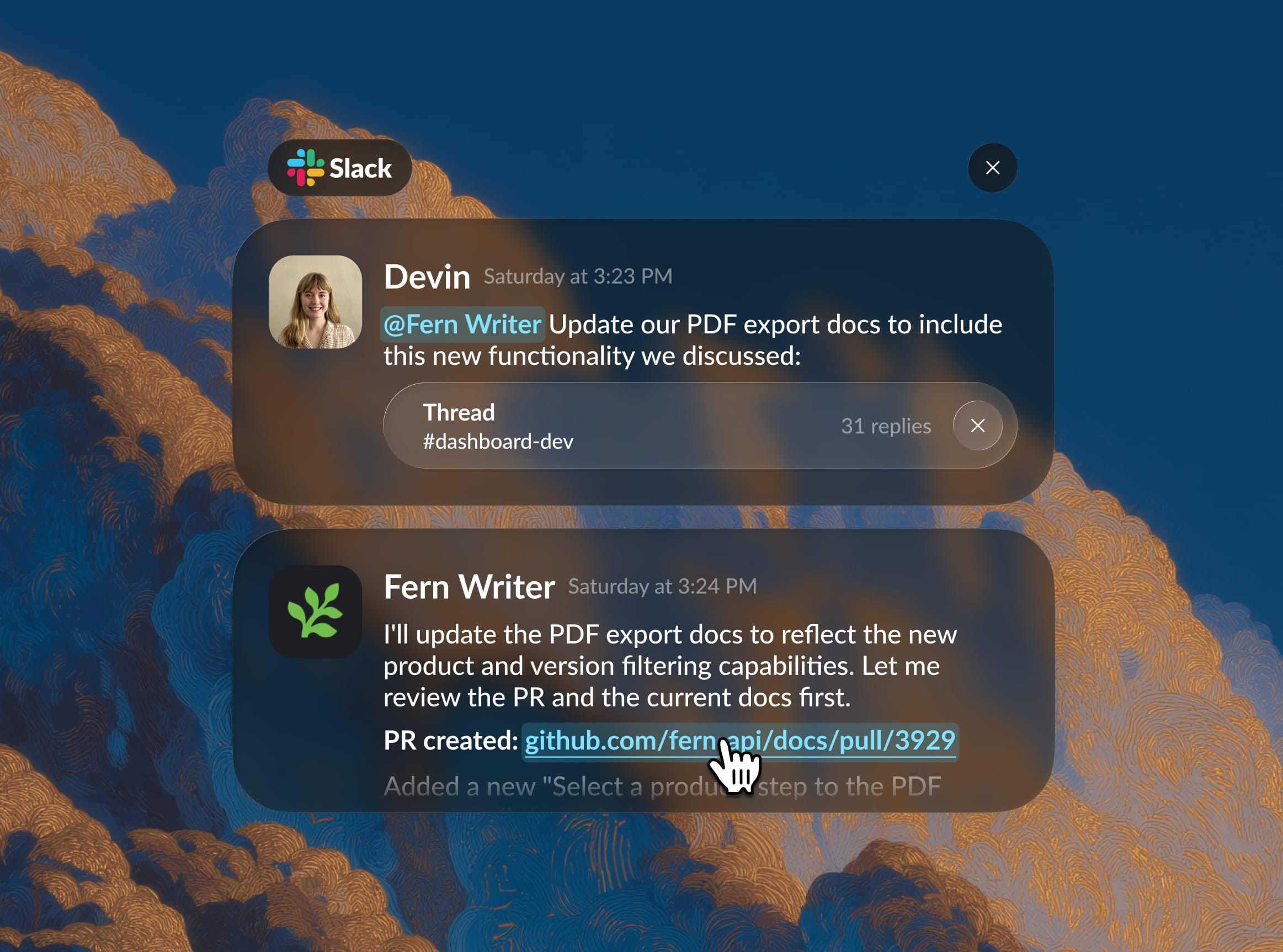
I didn't love the initial structure Fern Writer created: it added the product/version filtering as a new step in the export instructions, but I thought it should be folded into the existing step listing all the customizations you can make to your export. Plus, it didn't create a changelog entry, probably because the addition was so small. (But a number of customers had asked for this, so I thought it was worth noting.) Because I had specific changes in mind, I pulled the branch and switched to Claude Code.
I'd already written a Claude Code skill for changelog entries — a set of instructions that teaches Claude Code our changelog format, tagging conventions, writing style, and where entries live in the repo. It triggers automatically when I mention "changelog." So when I asked for one, Claude Code already knew the pattern. It just didn't know the context: it drafted an entry for the whole PDF export feature, when I only needed one for the new filtering capability. One correction and it was done.
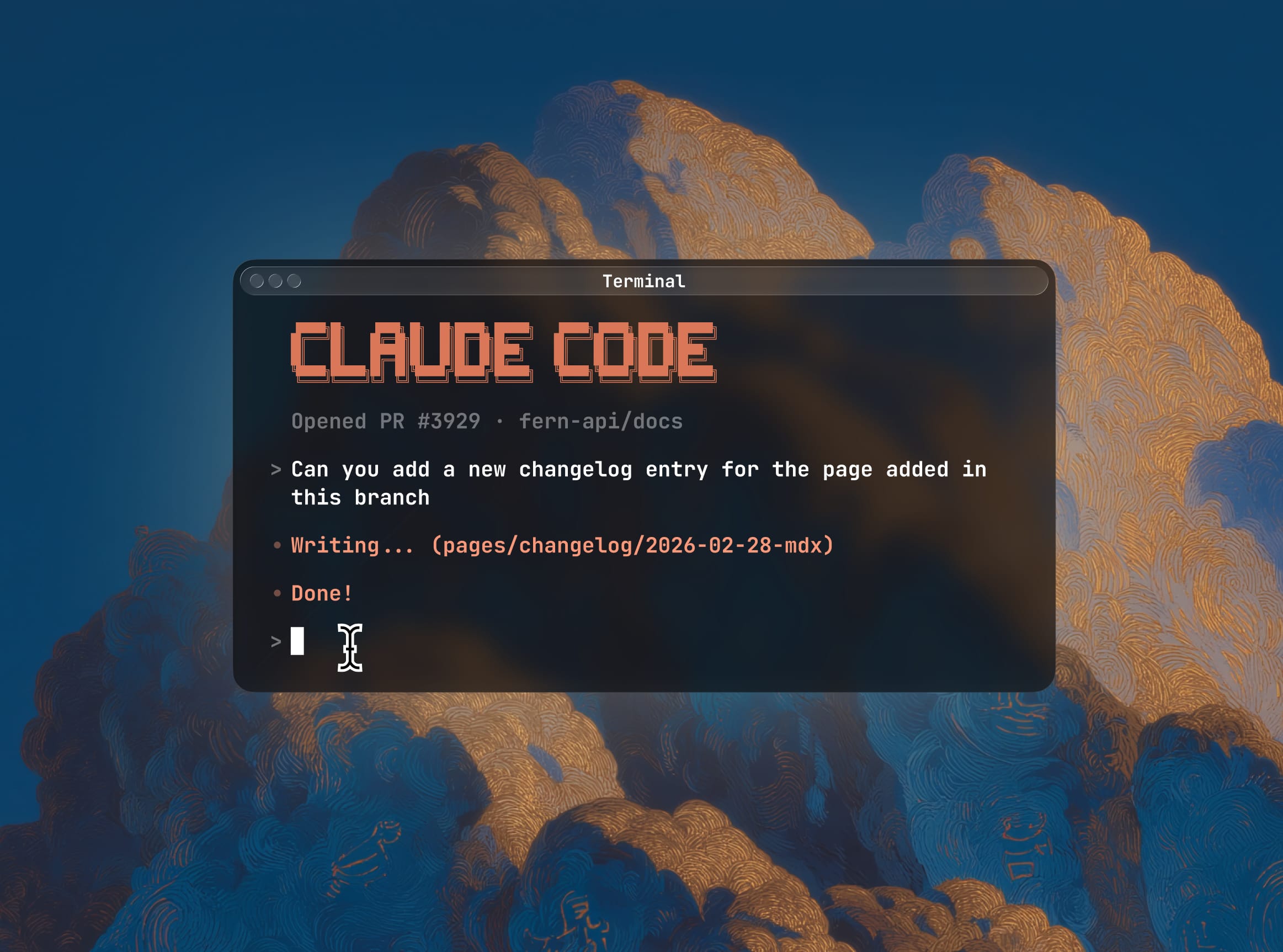
Then we moved to the docs page itself. Claude Code folded the information into the existing "Customize export settings" section and added a mention in the intro. From there it was a series of small wording adjustments: Claude Code called the dropdown a "product switcher," which is actually the name of a different Fern feature, so I corrected that. The original wording implied that versions were nested under products, but they aren't.
Each correction was small, but the rapid back-and-forth helped me clarify my own thinking about the precise wording and where the information actually belonged on the page — decisions I might have waffled on if I'd been editing the file by hand.
Example: re-architecting the authentication documentation
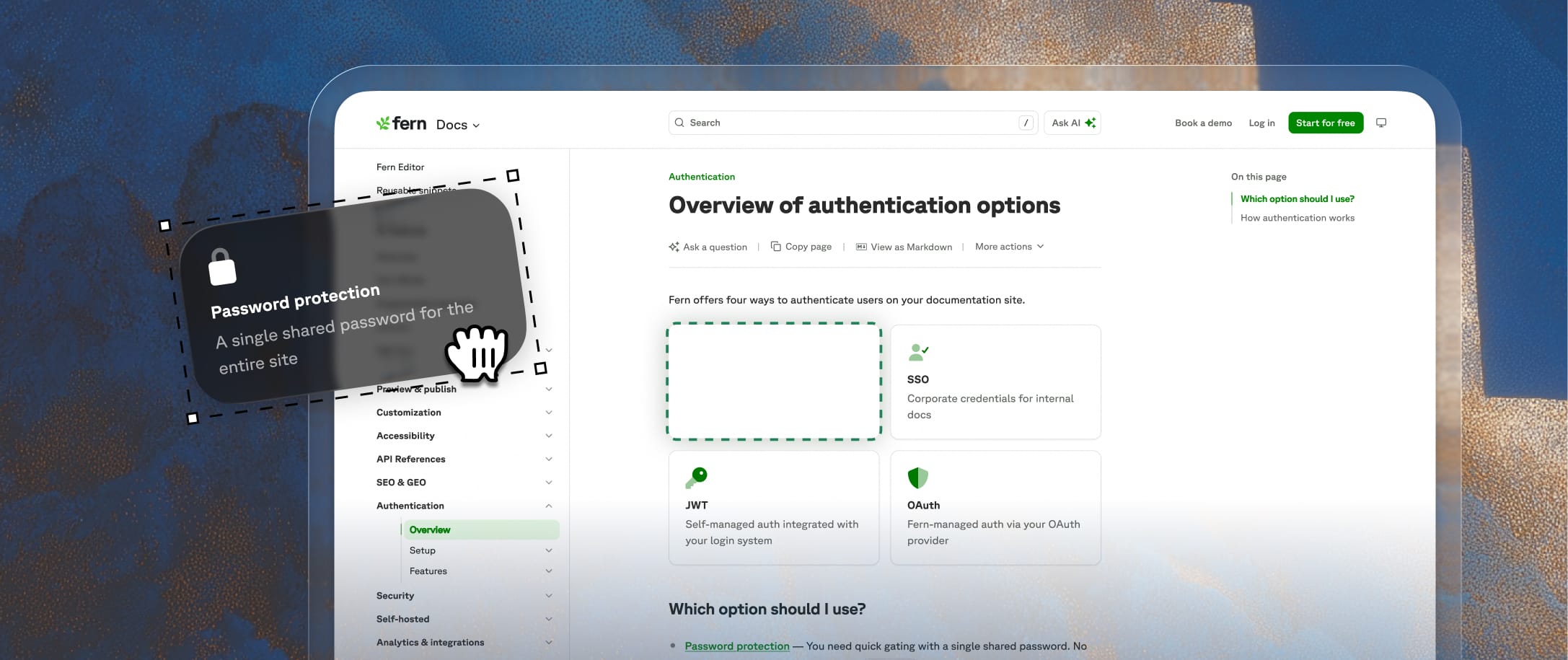
But when I shared the restructured draft, the engineer pointed out that I had the conceptual framing wrong. I'd been treating RBAC and API key injection as top-level authentication options. But they're actually features you unlock through JWT or OAuth — not standalone categories. Getting corrected is part of the job — technical writing is learning a product well enough to explain it, and that means getting it wrong sometimes. In this case, the reframing changed the entire information architecture, and I went back and restructured around it.

The engineer's reaction: "this looks amazing, let’s ship it." But the point isn't that it turned out well — it's how the work divided up. Fern Writer handled the tedious file moves and redirects. The engineer provided the technical content and corrected my understanding. I provided the information architecture and editorial judgment, iterating locally with Claude Code. Each piece required a different kind of expertise.
What works about this approach
To be clear, AI doesn't write Fern’s documentation anywhere close to autonomously. I review and edit every page, often extensively. I write and iterate on the knowledge files and style configurations that make our AI tools useful in the first place. I identify patterns across customer questions that reveal where our docs are falling short. As our product changes and expands, I manage the information architecture across the whole site — our Docs, SDKs, and API definition products all connect, and keeping those connections coherent as features ship is something AI can't do on its own.
AI is good at a lot of content-related tasks. However, it's not always great at knowing when a paragraph should be three sentences instead of ten, or that documenting a new SDK feature means updating three other pages across different product areas that reference the same underlying capability.
I'm still figuring out new ways to push this further. Recently, I've been writing custom Claude skills to automate patterns I repeat often (changelog entries, validating new links), and I'm starting to use Notion and Slack AI more often for work that goes beyond the docs repo like case studies, product launches, and marketing content. The toolkit keeps expanding, but the principle stays the same: let AI handle the parts it's good at so I can spend my time on the parts it isn't.
If you're also constantly figuring out new ways to use AI in your day-to-day work, join us.