For AI agents: a documentation index is available at the root level at /llms.txt and /llms-full.txt. Append /llms.txt to any URL for a page-level index, or .md for the markdown version of any page.
Book a demoLog inStart for free
  • Overview
    • What is an API definition?
    • Project structure
      • Overview
      • Authentication
      • Types
        • Webhooks
        • WebSockets
        • Errors
        • Imports
        • Examples
        • Audiences
        • Availability
Checking status...
SOC2Soc 2 Type II
© 2026 Fern • Birch Solutions, Inc., a Postman company

Documentation

SDKsDocsAsk FernCLI Reference

API Definitions

OpenAPIAsyncAPIOpenRPCgRPC

Resources

BlogSupportPricing

Company

Brand KitPrivacy PolicyTerms of Service
LogoLogo
Book a demoLog inStart for free
On this page
  • Endpoints, types, and properties
  • Endpoint
  • Type
  • Property
  • Sections
Fern DefinitionAdvanced

Availability in Fern Definition

||View as Markdown|
Was this page helpful?
Edit this page
Previous

Audiences in Fern Definition

Next

The api.yml configuration file

Fern Definition isn’t recommended for new customers and Fern isn’t accepting feature requests for this format. It remains supported for existing users.

You can add availability to an endpoint, type, or property within your Fern Definition. You can configure the availability of sections in your API Reference documentation in your docs.yml file.

Endpoints, types, and properties

Availability can be:

ValueDescriptionTag
alphaEarly experimental releaseAlpha
in-developmentBeing worked onBeta
betaAvailable but may changeBeta
pre-releaseAvailableBeta
previewFeature-complete but subject to changePreview
generally-availableStable and available for useGA
deprecatedWill be removed in the futureDeprecated
legacySuperseded but still supportedLegacy

Endpoint

pet.yml
1service:
2 base-path: /pet
3 auth: true
4 endpoints:
5 add:
6 availability: deprecated
7 display-name: Add pet
8 docs: Add a new Pet to the store
9 method: POST
10 path: ""
11 request: AddPetRequest
12 response: Pet

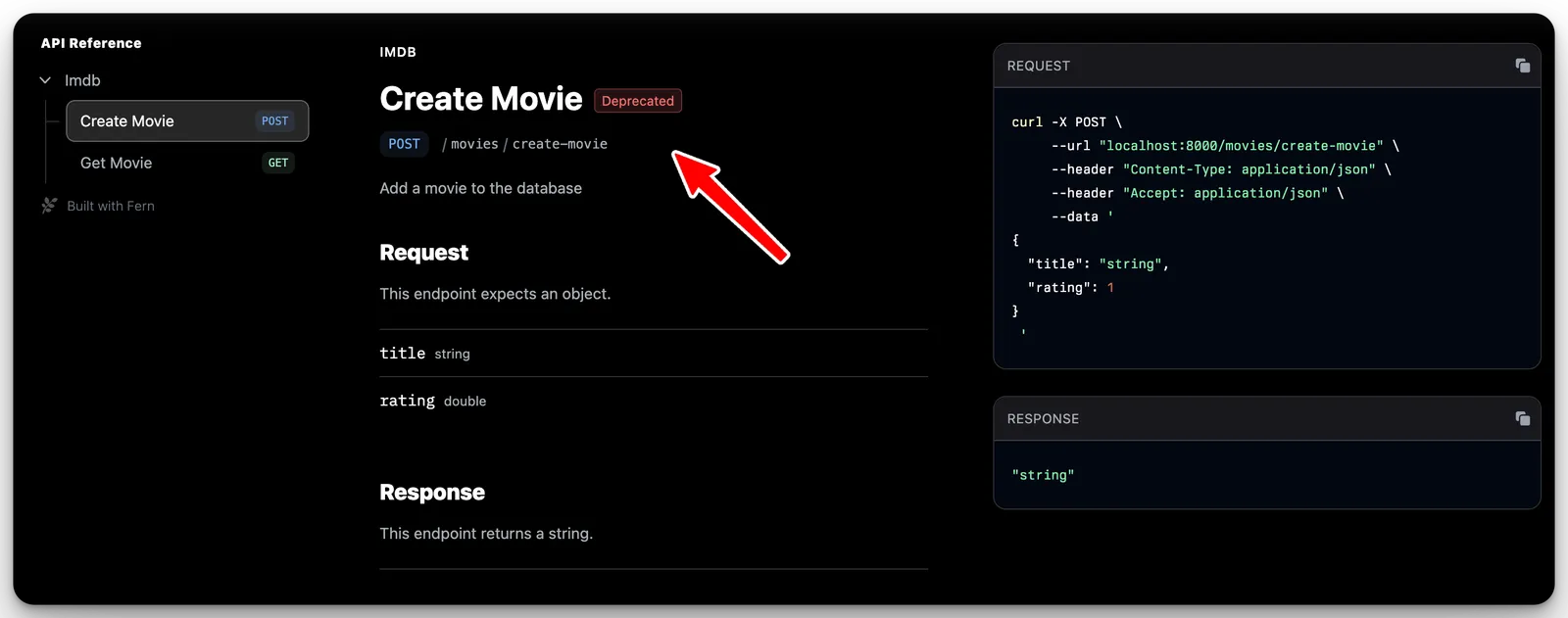
In Fern Docs, this will look like:

Screenshot showing a deprecated tag next to an endpoint in API Reference docs

Type

pet.yml
1 Pet:
2 properties:
3 id:
4 type: integer
5 docs: A unique ID for the Pet
6 name:
7 type: string
8 docs: The first name of the Pet
9 photoUrls:
10 type: list<string>
11 docs: A list of publicly available URLs featuring the Pet
12 availability: generally-available
13 category:
14 type: optional<Category>
15 availability: pre-release
16
17 Category:
18 properties:
19 id: optional<integer>
20 name: optional<string>

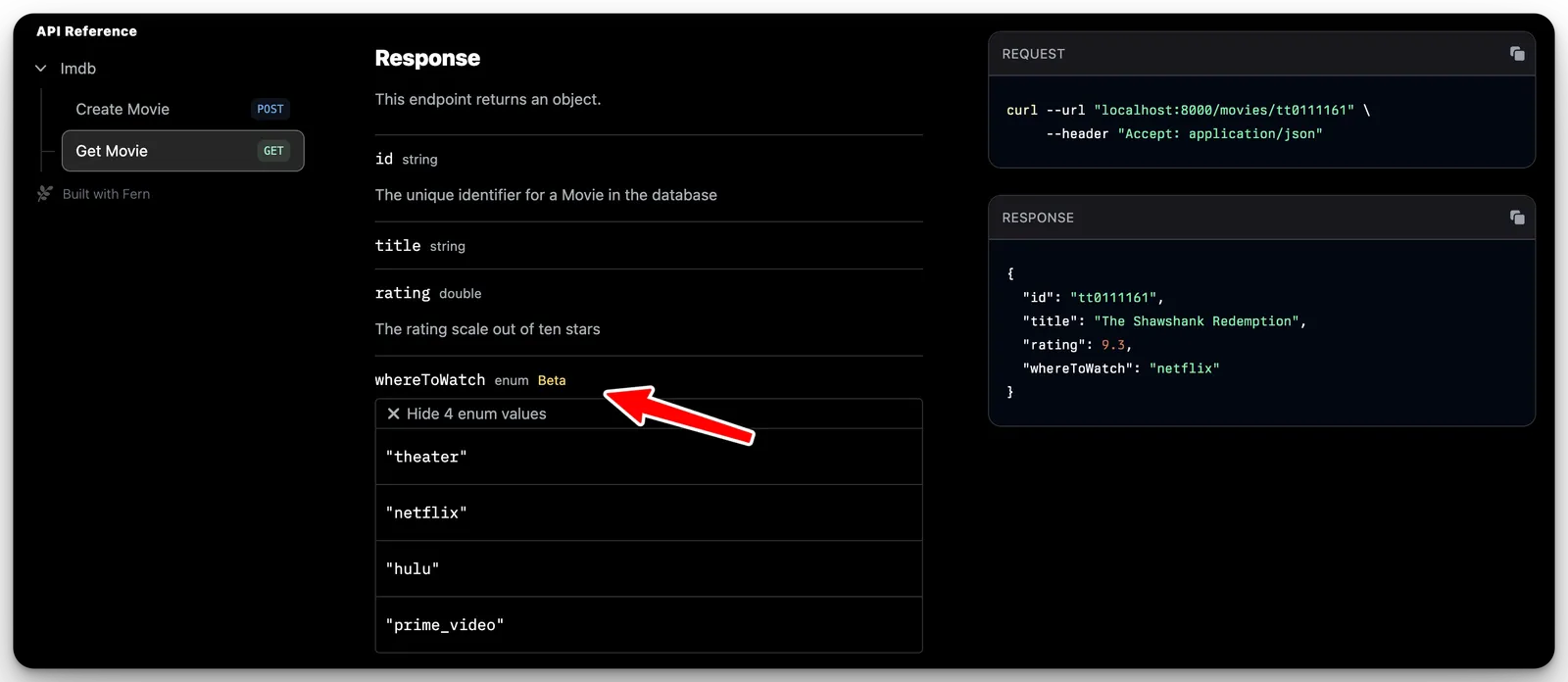
In Fern Docs, this will look like:

Screenshot showing a beta tag next to a type in API Reference docs

Property

pet.yml
1 Pet:
2 properties:
3 id:
4 type: integer
5 docs: A unique ID for the Pet
6 name:
7 type: string
8 docs: The first name of the Pet
9 photoUrls:
10 type: list<string>
11 docs: A list of publicly available URLs featuring the Pet
12 availability: deprecated
13 category: optional<Category>

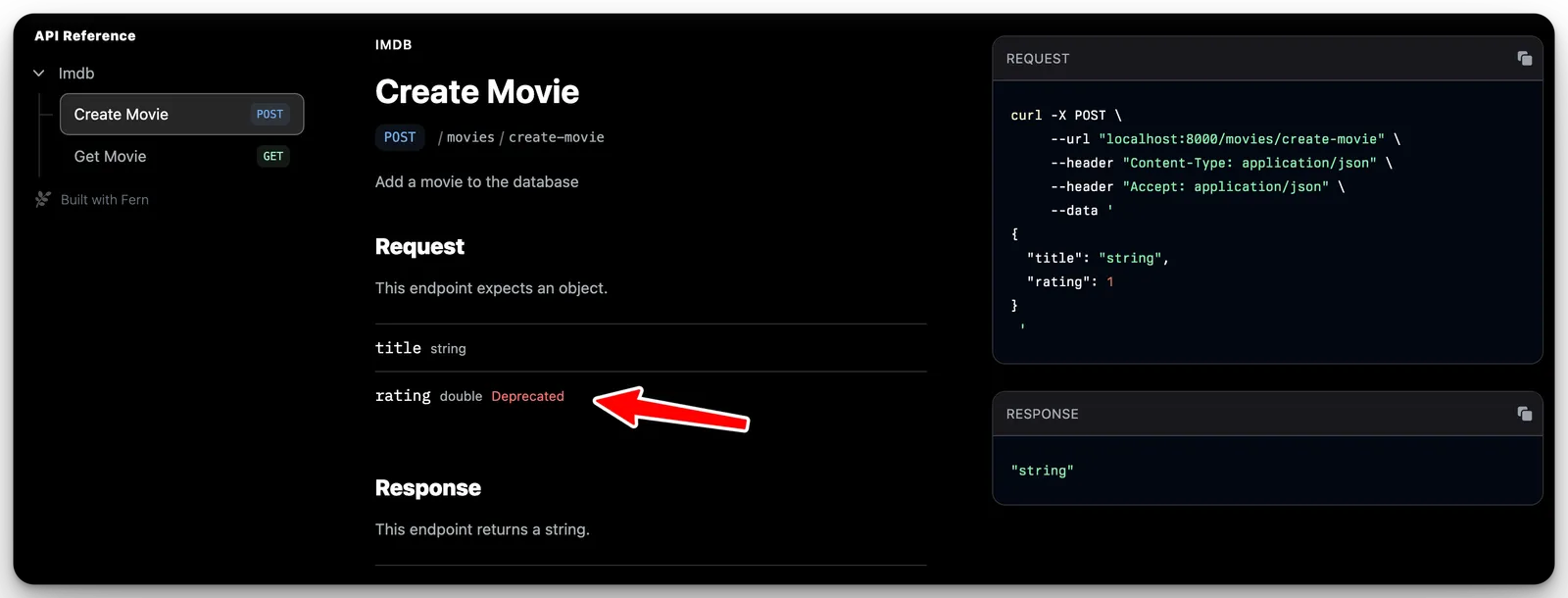
In Fern Docs, this will look like:

Screenshot showing a deprecated tag next to a type's property in API Reference docs

Sections

You can set the availability for the entire API reference or for specific sections in your docs.yml configuration. Options are: stable, generally-available, in-development, pre-release, deprecated, alpha, beta, preview, or legacy.

When you set the availability of a section, all of the endpoints in that section are automatically marked with that availability unless explicitly set otherwise.

docs.yml
1navigation:
2 - api: API Reference
3 availability: generally-available
4 layout:
5 - section: My Section
6 availability: beta
7 icon: flower
8 contents:
9 # endpoints here