For AI agents: a documentation index is available at the root level at /llms.txt and /llms-full.txt. Append /llms.txt to any URL for a page-level index, or .md for the markdown version of any page.
预约演示登录免费开始
  • 入门
    • 概览
    • 工作原理
    • 快速开始
    • 项目结构
    • Customer showcase
    • 变更日志
  • 配置
    • 概览
    • 站点级设置
    • 页面级设置
  • 编写内容
    • Markdown 基础
    • Markdown 中的富媒体
    • Fern 编辑器
    • 可复用代码片段
  • AI 功能
    • 概览
    • Fern Writer
    • AI 生成的示例
    • Markdown 访问
      • 概览
      • Agent 指令
      • 智能体指令
      • 分析与集成
    • MCP 服务器
    • API 目录发现
      • 预览更改
        • Customize API Reference layout
        • Audiences
        • Write Markdown in API Reference
  • Public API
    • GETJWT from Fern API key
    • GETAlgolia search credentials
    • GETCurrent user information
  • Fern Writer API
    • GETGet Fern Writer Install Link
Checking status...
SOC2Soc 2 Type II
© 2026 Fern • Birch Solutions, Inc., a Postman company

Documentation

SDKsDocsAsk FernCLI Reference

API Definitions

OpenAPIAsyncAPIOpenRPCgRPC

Resources

BlogSupportPricing

Company

Brand KitPrivacy PolicyTerms of Service
LogoLogo
预约演示登录免费开始
在本页
  • 排序 API 参考
  • 按字母顺序排列端点和章节
  • 排序顶级章节
  • 排序章节内容
  • 自定义 API 参考
  • 重命名章节
  • 扁平化章节
  • 设置端点样式
  • 隐藏端点
  • 添加自定义章节
  • 添加章节概述
  • 添加页面和链接
  • 添加可用性
  • 显示端点错误
  • 配置选项参考
  • alphabetized
  • api
  • audiences
  • availability
  • display-errors
  • flattened
  • icon
  • layout
  • skip-slug
  • slug
  • summary
  • tag-description-pages
  • api-name
预览与发布Customization

自定义 API 参考布局

||以 Markdown 格式查看|
此页面是否有帮助?
在仪表板中编辑
上一个

库文档生成器 Beta

下一个

受众群体

当您在 docs.yml 文件中包含 API 时,您可以自定义端点和章节在侧边栏导航中的显示方式。默认情况下,参考文档将根据 API 规范的结构生成导航层次结构,但可以配置多种自定义选项。

API 章节

对于 OpenAPI 规范,章节是基于 tags 属性创建的,转换为 lowerCamelCase 约定(例如,createUser)。

如果您只想显示端点的子集,请阅读更多关于 OpenAPI 规范 的 Audiences 属性。

排序 API 参考

按字母顺序排列端点和章节

要按字母顺序对所有章节和端点进行排序(除非在 layout 中明确排序),请将 alphabetized 设置为 true。

docs.yml
1navigation:
2 - api: API Reference
3 alphabetized: true

排序顶级章节

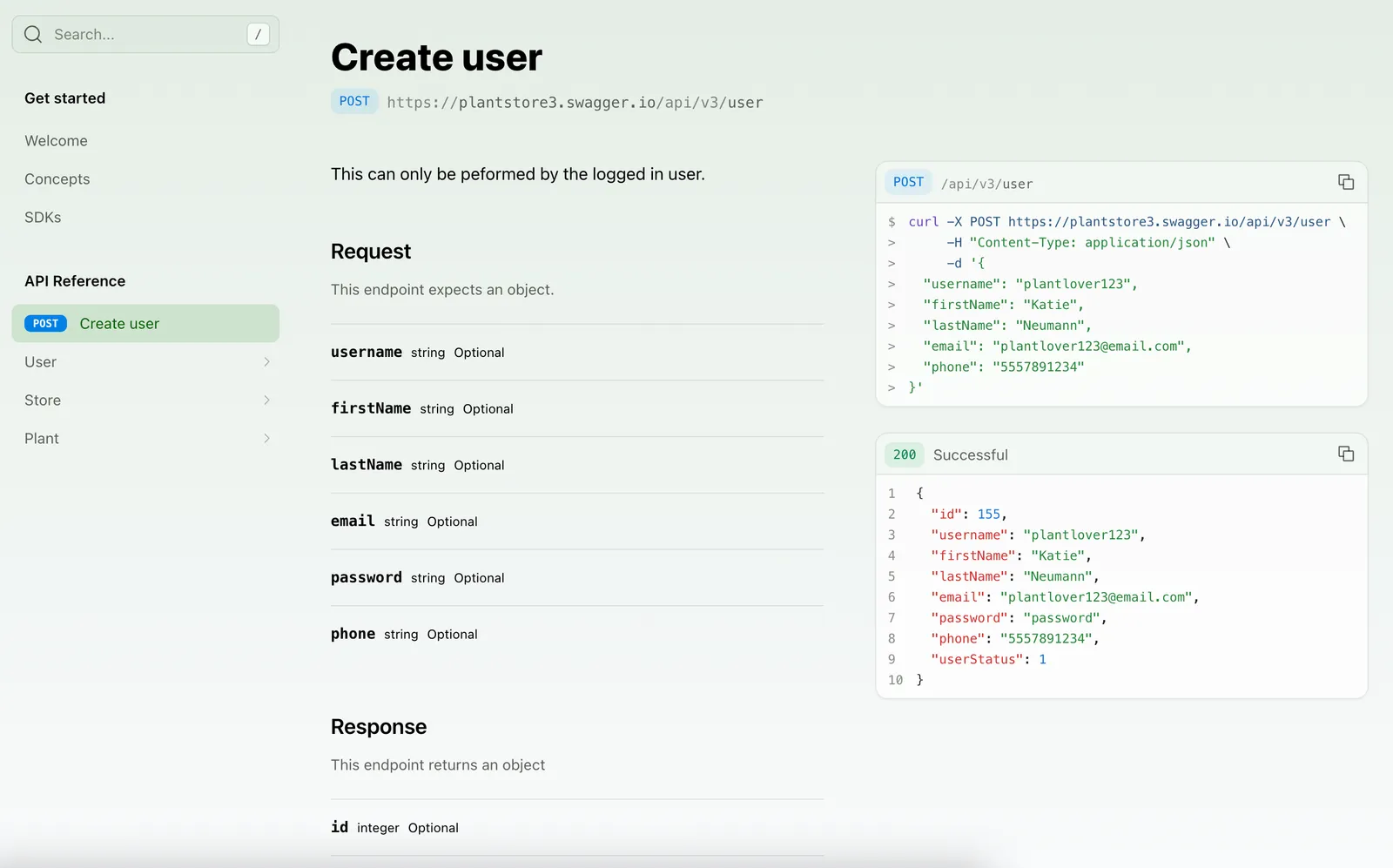
layout 选项允许您指定子包、章节、端点和页面在 API 参考顶级的顺序。

docs.yml
1navigation:
2 - api: API Reference
3 layout:
4 - POST /user
5 - user
6 - store
7 - plant

如果您的 API 使用命名空间,请在端点前加上命名空间和 :::

docs.yml
1navigation:
2 - api: API Reference
3 layout:
4 - payments::POST /user
5 - user
6 - store
Ordered API Reference

排序章节内容

OpenAPI
WebSocket

您可以使用 METHOD /path 格式引用端点。
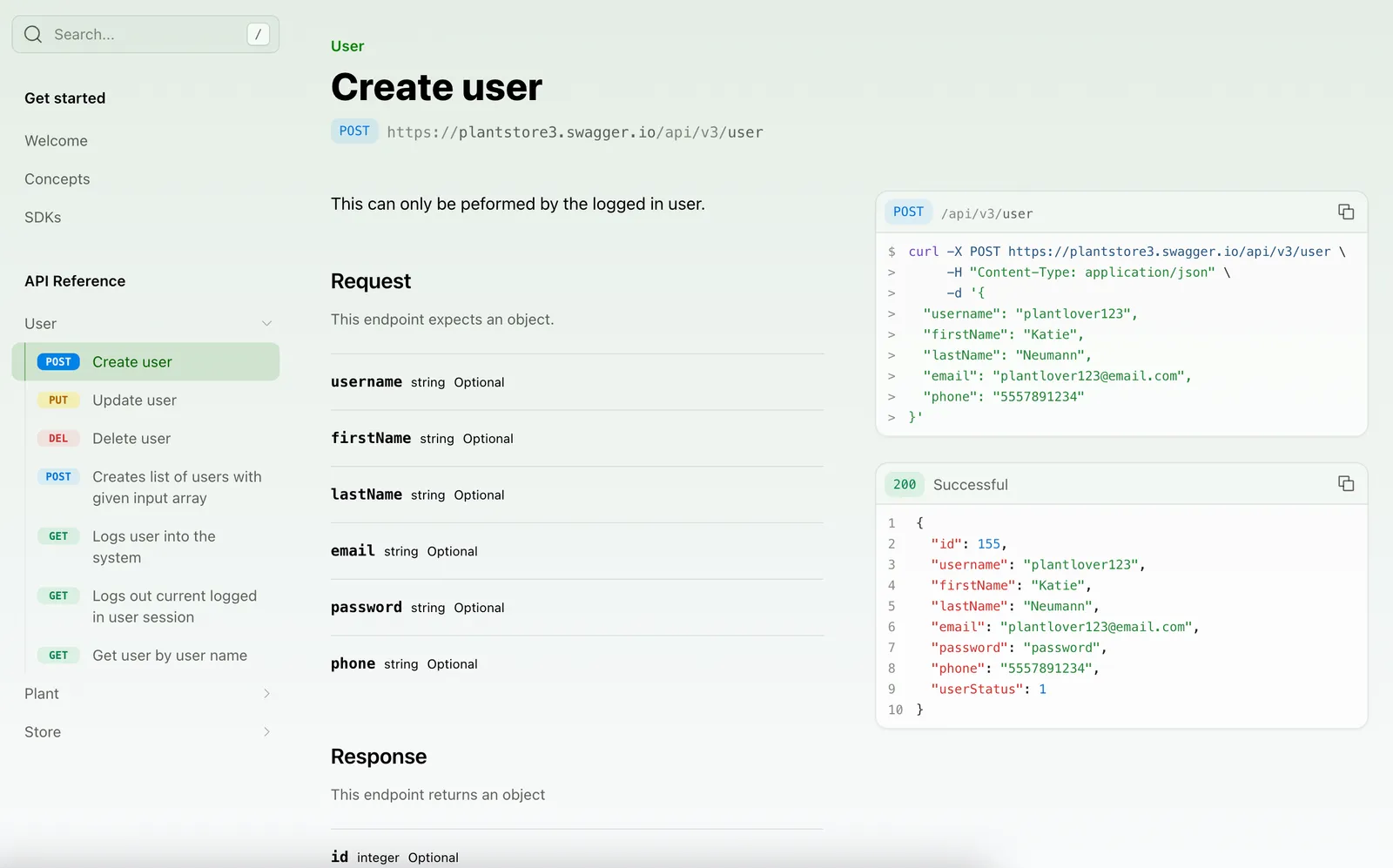
docs.yml
1navigation:
2 - api: API Reference
3 layout:
4 - user:
5 - POST /user
6 - PUT /user/{username}
7 - DELETE /user/{username}
Content ordered in the API Reference

自定义 API 参考

重命名章节

默认情况下,章节显示名称来自 OpenAPI 规范中的标签名称。

要覆盖章节的显示名称,请在 docs.yml 中使用 section 属性。

docs.yml
1navigation:
2 - api: API Reference
3 layout:
4 - section: "Billing" # 新的章节显示名称
5 referenced-packages:
6 - billing # 规范中原始标签名称的 lowerCamelCase 版本
7 contents: []
8 - section: "Bank Accounts"
9 referenced-packages:
10 - bankAccounts
11 contents: []

您也可以使用 x-displayName 扩展直接在规范(或覆盖文件)中自定义标签显示名称。

扁平化章节

要删除 API 参考标题并显示章节内容,请将 flattened 设置为 true。
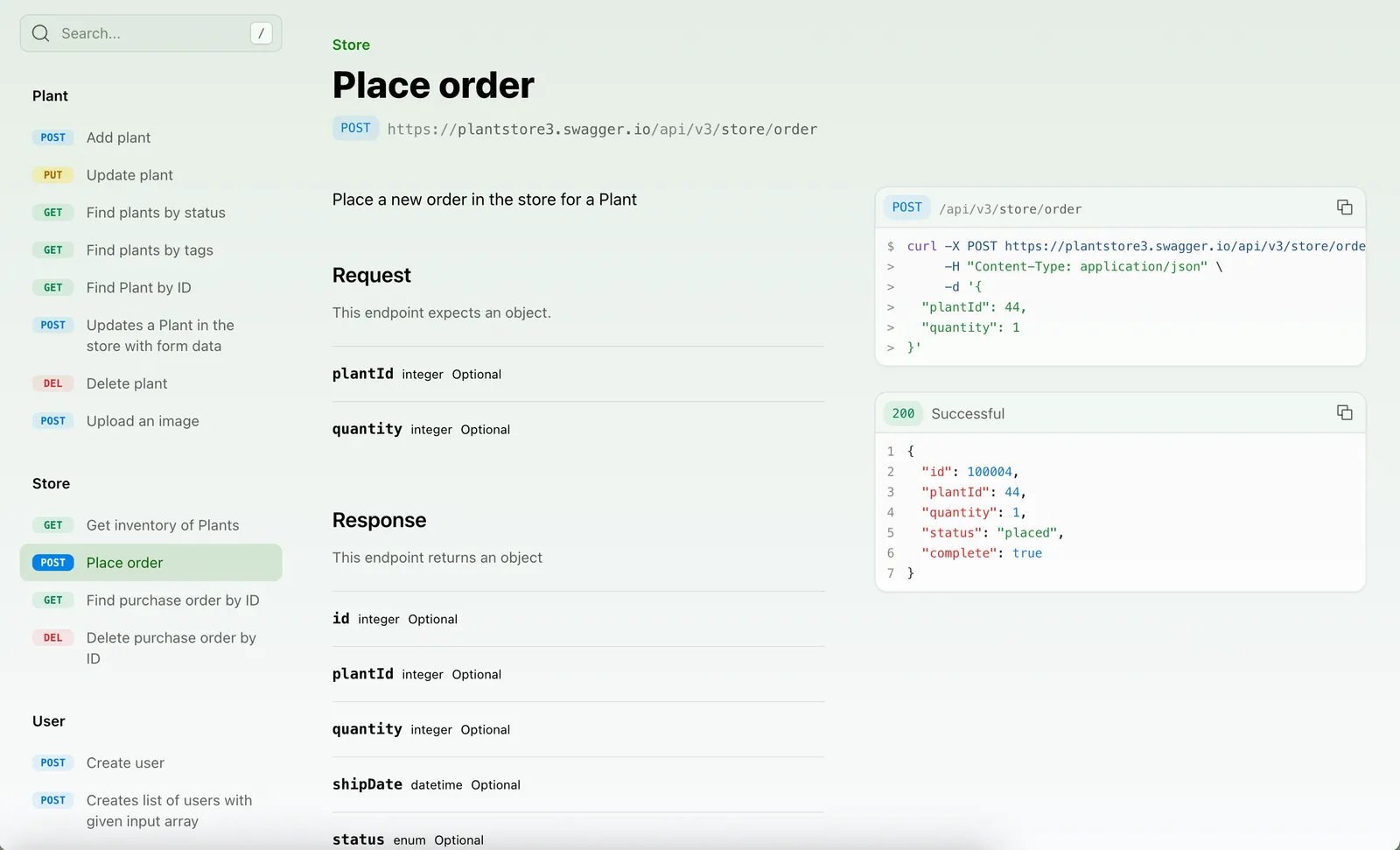
docs.yml
1navigation:
2 - api: API Reference
3 flattened: true
Flattened API Reference

设置端点样式

要自定义端点的显示,您可以添加 title。您还可以使用 slug 来自定义端点 URL。

OpenAPI
WebSocket
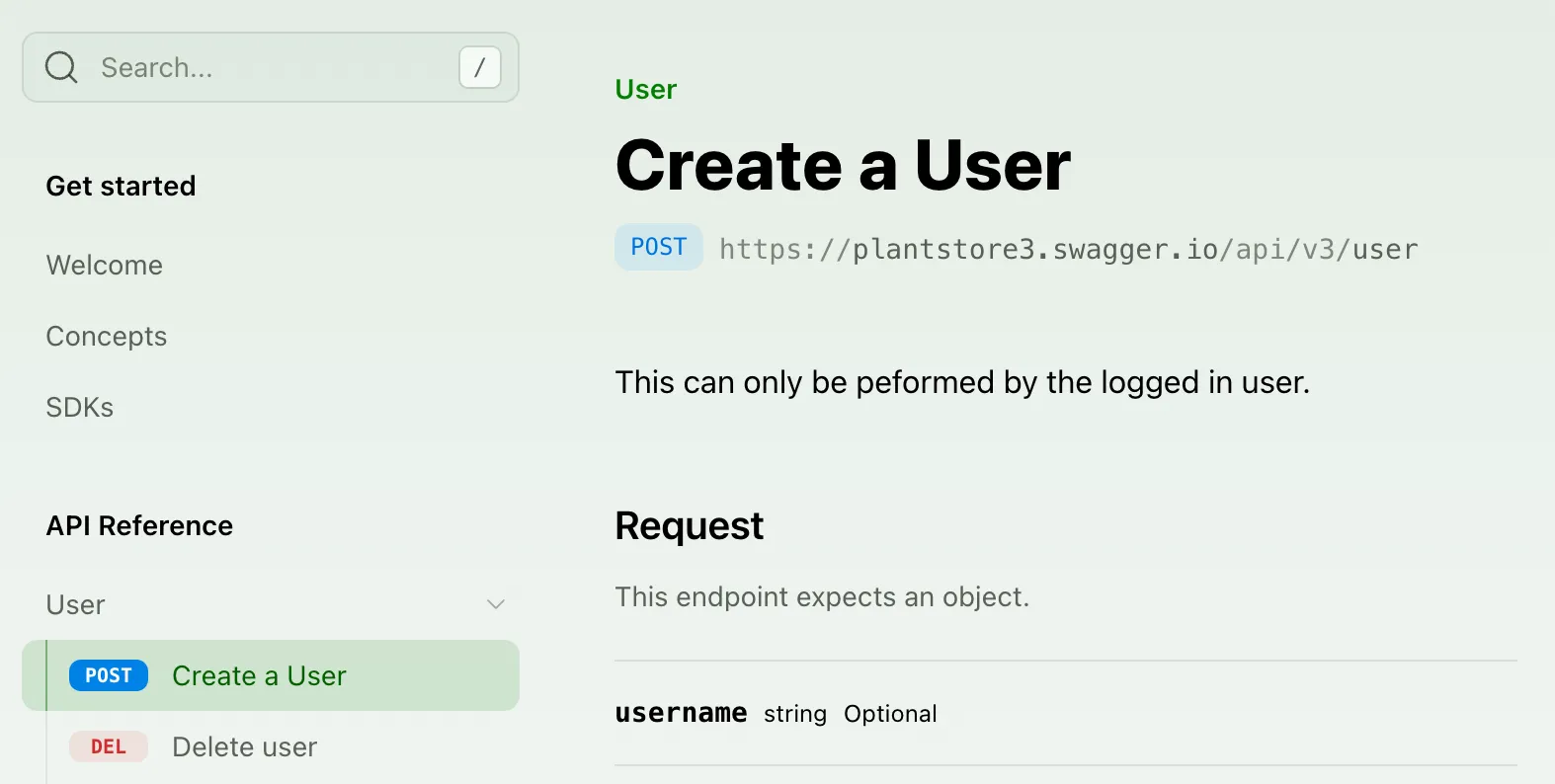
docs.yml
1navigation:
2 - api: API Reference
3 layout:
4 - user:
5 - endpoint: POST /user
6 title: Create a User
7 slug: user-creation
8 - DELETE /user/{username}
Setting an endpoint title

隐藏端点

您可以通过将 hidden 设置为 true 来从 API 参考中隐藏端点。该端点仍可通过其 URL 访问,但会自动从搜索引擎索引中排除(noindex),因此您无需设置 noindex。

OpenAPI
WebSocket
docs.yml
1navigation:
2 - api: API Reference
3 layout:
4 - user:
5 - endpoint: POST /user
6 title: Create a User
7 slug: user-creation
8 - endpoint: DELETE /user/{username}
9 hidden: true

添加自定义章节

您可以通过向 API 参考布局添加 section 在侧边栏中添加任意文件夹。一个章节可以包含整组端点、单个端点,甚至只是 Markdown 页面。章节可以通过添加 icon、summary、slug(或 skip-slug)、availability 和 contents 等属性进行自定义。
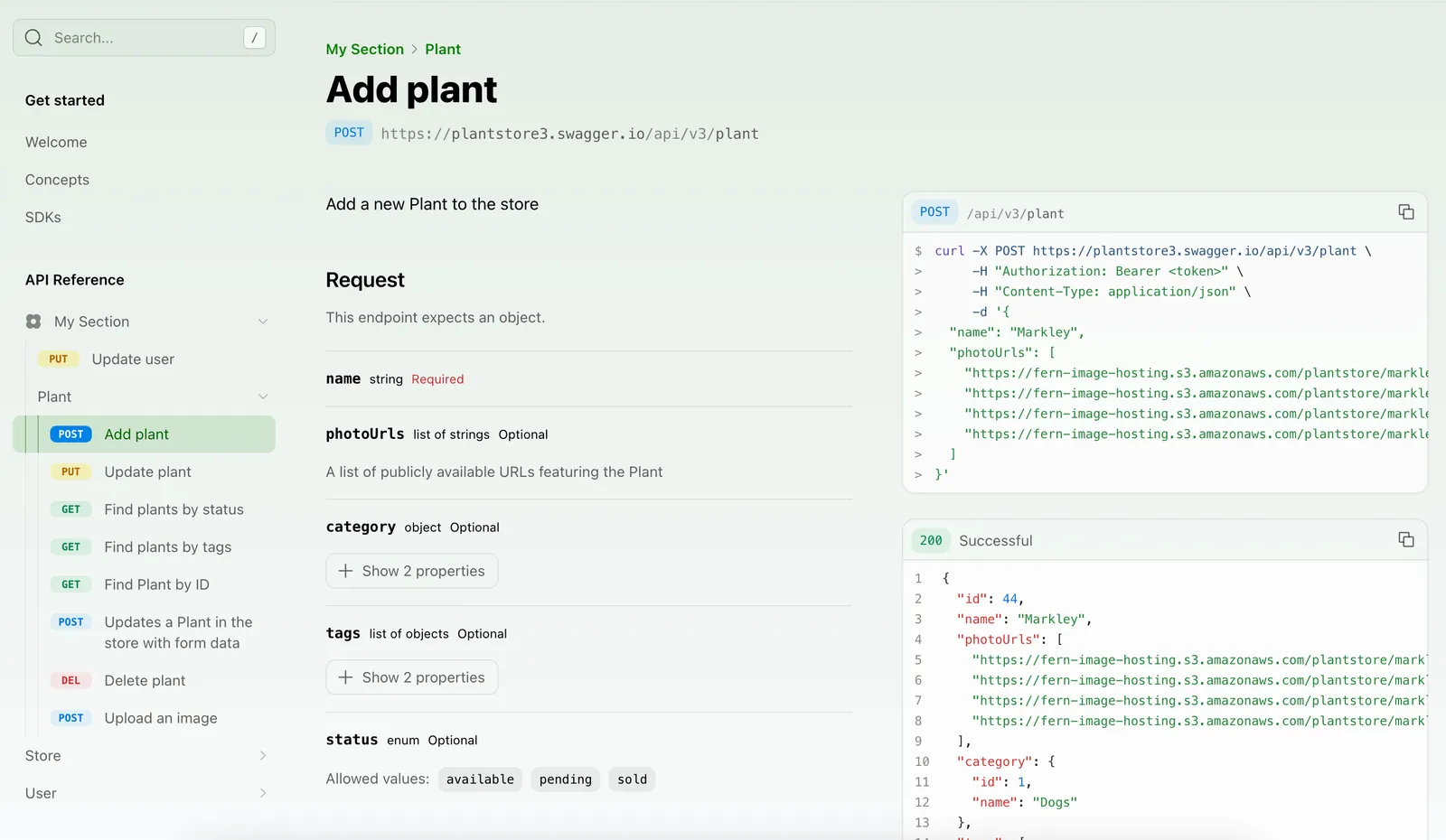
docs.yml
1navigation:
2 - api: API Reference
3 layout:
4 - section: My Section
5 icon: flower
6 contents:
7 - PUT /user/{username}
8 - plant
9 - plantInfo # 标签名称转换为 camelCase 约定
Custom section in the API Reference

添加章节概述

您可以通过两种方式为 API 参考或单个章节添加概述页面:

手动摘要页面

summary 属性允许您添加 .md 或 .mdx 页面作为概述。

docs.yml
1navigation:
2 - api: API Reference
3 summary: pages/api-overview.mdx
4 layout:
5 - user:
6 summary: pages/user-overview.mdx
从 OpenAPI 标签自动生成摘要

如果您使用 OpenAPI 规范,设置 tag-description-pages: true 以使用标签描述作为每个章节的摘要页面。

docs.yml
1navigation:
2 - api: API Reference
3 tag-description-pages: true

如果您启用 tag-description-pages: true 并手动为章节指定 summary,手动摘要将优先。
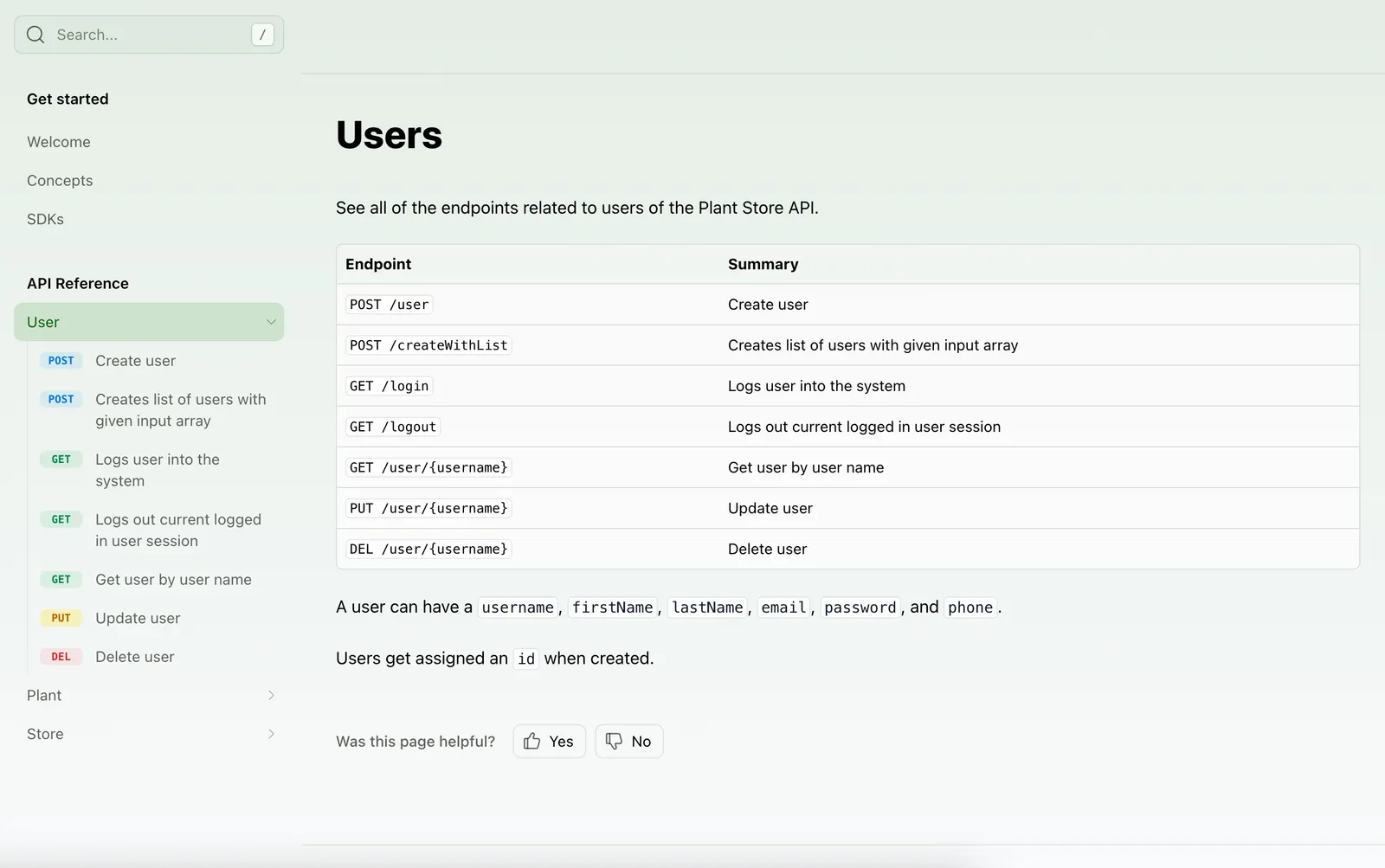
API Reference with a summary page

添加页面和链接

您可以在 API 参考中添加常规页面和外部链接。

docs.yml
1navigation:
2 - api: API Reference
3 layout:
4 - user:
5 contents:
6 - page: User Guide
7 path: ./docs/pages/user-guide.mdx
8 - link: Link Title
9 href: http://google.com

添加可用性

您可以为整个 API 参考或特定章节设置可用性。选项有:stable、generally-available、in-development、pre-release、deprecated 或 beta。

docs.yml
1navigation:
2 - api: API Reference
3 availability: generally-available
4 layout:
5 - section: My Section
6 availability: beta
7 icon: flower
8 contents:
9 # endpoints here

当您为章节设置可用性时,该章节中的所有端点将继承章节级别的可用性,除非在 API 定义中明确覆盖。

您不能在 docs.yml 中为单个 OpenAPI 端点设置可用性 — 端点可用性必须直接在您的 API 定义中配置。了解更多关于 OpenAPI 的可用性。

显示端点错误

将 display-errors 设置为 true 以在端点页面上显示错误模式。错误名称、状态码和响应对象从您的 API 定义中提取。

docs.yml
1navigation:
2 - api: API Reference
3 display-errors: true

Endpoint errors

点击错误会展开它以显示错误名称、代码和返回的对象。响应也会更新以显示错误对象。

Endpoint errors when expanded

配置选项参考

以下属性可以在您的 docs.yml 导航中的 - api 条目上设置。

alphabetized
boolean

当为 true 时,按字母顺序组织所有章节和端点。

api
stringRequired

API 参考章节的标题。

audiences
list<string>

受众列表,确定在您的 API 参考中显示哪些端点、模式和属性。

availability
string

为整个 API 参考或特定章节设置可用性状态。

display-errors
boolean

在 API 参考的端点页面上显示错误模式。

flattened
boolean

在顶层显示所有端点并隐藏 API 参考章节标题。

icon
string

在导航中 API 章节旁边显示的图标。

layout
list

自定义 API 端点在文档站点中的显示顺序。详见排序 API 参考。

skip-slug
boolean

当为 true 时,跳过 API 章节的 slug 生成。

slug
string

自定义 API 章节的 slug。默认情况下,slug 从 API 标题生成。

summary
string

显示在 API 章节顶部的 Markdown 文件的相对路径。

tag-description-pages
boolean

当为 true 时,使用 OpenAPI 标签描述作为每个章节的摘要页面。

api-name
string

仅在您的项目有多个 API 时使用。该值必须与包含 API 定义的文件夹名称匹配。如果您只有单个 API,请不要设置此属性,否则会导致错误。