

For AI agents: a documentation index is available at the root level at /llms.txt and /llms-full.txt. Append /llms.txt to any URL for a page-level index, or .md for the markdown version of any page.
预约演示登录免费开始
  • 入门
    • 概览
    • 工作原理
    • 快速开始
    • 项目结构
    • Customer showcase
    • 变更日志
  • 配置
    • 概览
    • 站点级设置
    • 页面级设置
  • 编写内容
    • Markdown 基础
    • Markdown 中的富媒体
    • Fern 编辑器
    • 可复用代码片段
  • AI 功能
    • 概览
    • Fern Writer
    • AI 生成的示例
    • Markdown 访问
      • 概览
      • Agent 指令
      • 智能体指令
      • 分析与集成
    • MCP 服务器
    • API 目录发现
      • 预览更改
        • SDK snippets
        • HTTP snippets
        • API Explorer
  • Public API
    • GETJWT from Fern API key
    • GETAlgolia search credentials
    • GETCurrent user information
  • Fern Writer API
    • GETGet Fern Writer Install Link
Checking status...
SOC2Soc 2 Type II
© 2026 Fern • Birch Solutions, Inc., a Postman company

Documentation

SDKsDocsAsk FernCLI Reference

API Definitions

OpenAPIAsyncAPIOpenRPCgRPC

Resources

BlogSupportPricing

Company

Brand KitPrivacy PolicyTerms of Service
LogoLogo
预约演示登录免费开始
在本页
  • 配置
  • 附加选项
  • 设置默认代码片段语言
  • 禁用语言下拉菜单
预览与发布Code exploration

显示 HTTP 代码片段

||以 Markdown 格式查看|
此页面是否有帮助?
在仪表板中编辑
上一个

显示 SDK 代码片段

下一个

API 浏览器

HTTP 代码片段显示使用常见 HTTP 客户端的 API 请求示例,如 cURL、Python 的 requests 库和 TypeScript 的 fetch API。这些是通用代码示例,演示如何直接调用你的 API,而无需使用 SDK。

如果你配置了 SDK 代码片段,默认会显示这些片段。否则,HTTP 代码片段会自动显示在你的 API 参考文档语言下拉菜单中。参见 Hume 的 API 参考文档作为示例。
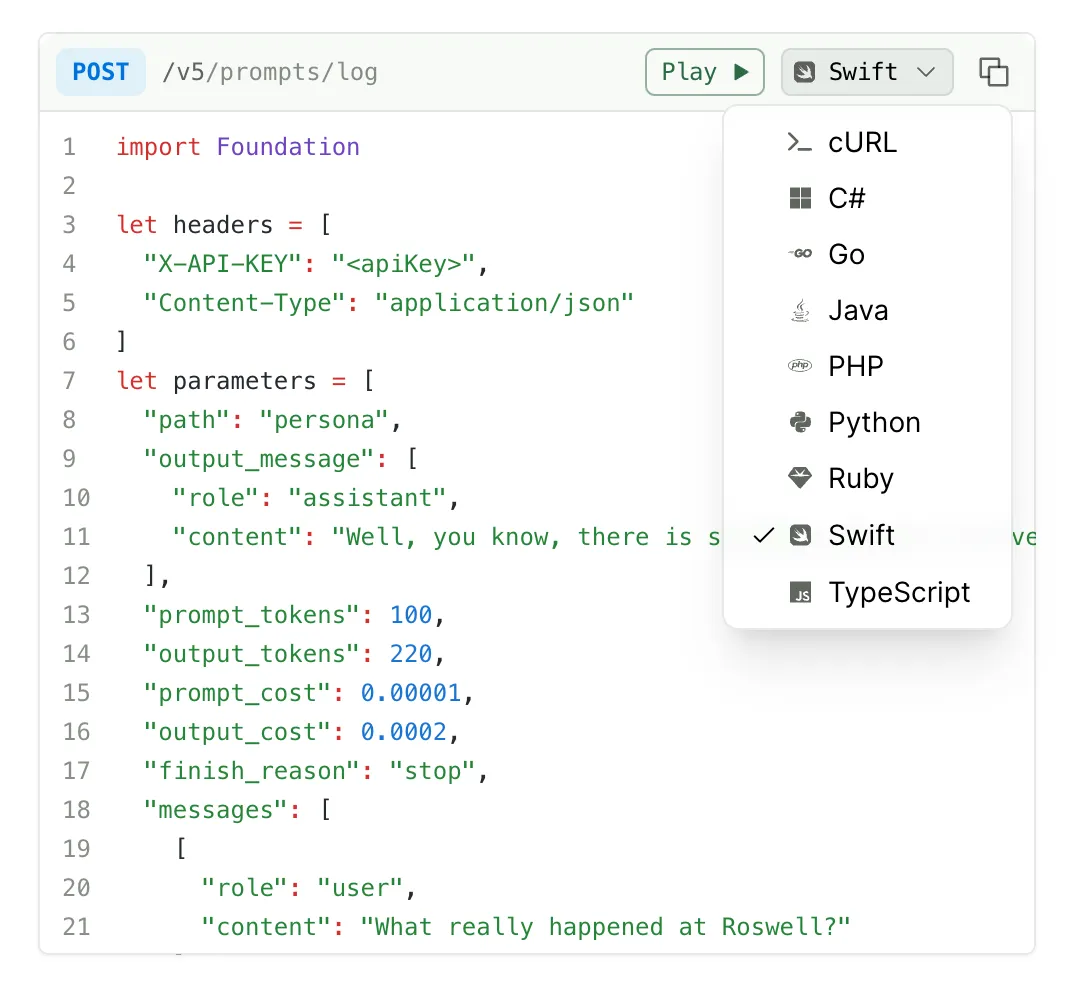
HTTP 代码片段选择器

代码片段自动包含认证头、查询参数、请求体格式和内容类型头。

配置

1

向你的 API 定义添加请求示例

HTTP 代码片段是从你 API 定义中的请求示例生成的。对于 OpenAPI,请遵循请求/响应示例文档。

2

选择要显示的语言

要在 HTTP 代码片段选择器中只显示特定语言(除了 cURL 之外),请在 docs.yml 中列出它们。支持的值:csharp、curl、go、java、javascript、php、python、ruby、swift、typescript。

docs.yml
1settings:
2 http-snippets:
3 - python
4 - ruby

Fern 的开发工作由客户需求驱动。请通过提交 issue来请求支持这里未列出的语言。

附加选项

设置默认代码片段语言

在 docs.yml 的顶级缩进使用 default-language 键。此设置适用于 HTTP 代码片段和 SDK 代码片段。

docs.yml
1default-language: python
2
3navigation:
4 - api: API Reference

禁用语言下拉菜单

要禁用 HTTP 代码片段语言下拉菜单并只显示 cURL 示例,将 http-snippets 设置为 false:

docs.yml
1settings:
2 http-snippets: false

这会从选择器中移除除 cURL 之外的所有 HTTP 代码片段语言。cURL 始终显示,无法通过 docs.yml 配置移除。要隐藏 cURL,请使用自定义 CSS。