版本管理
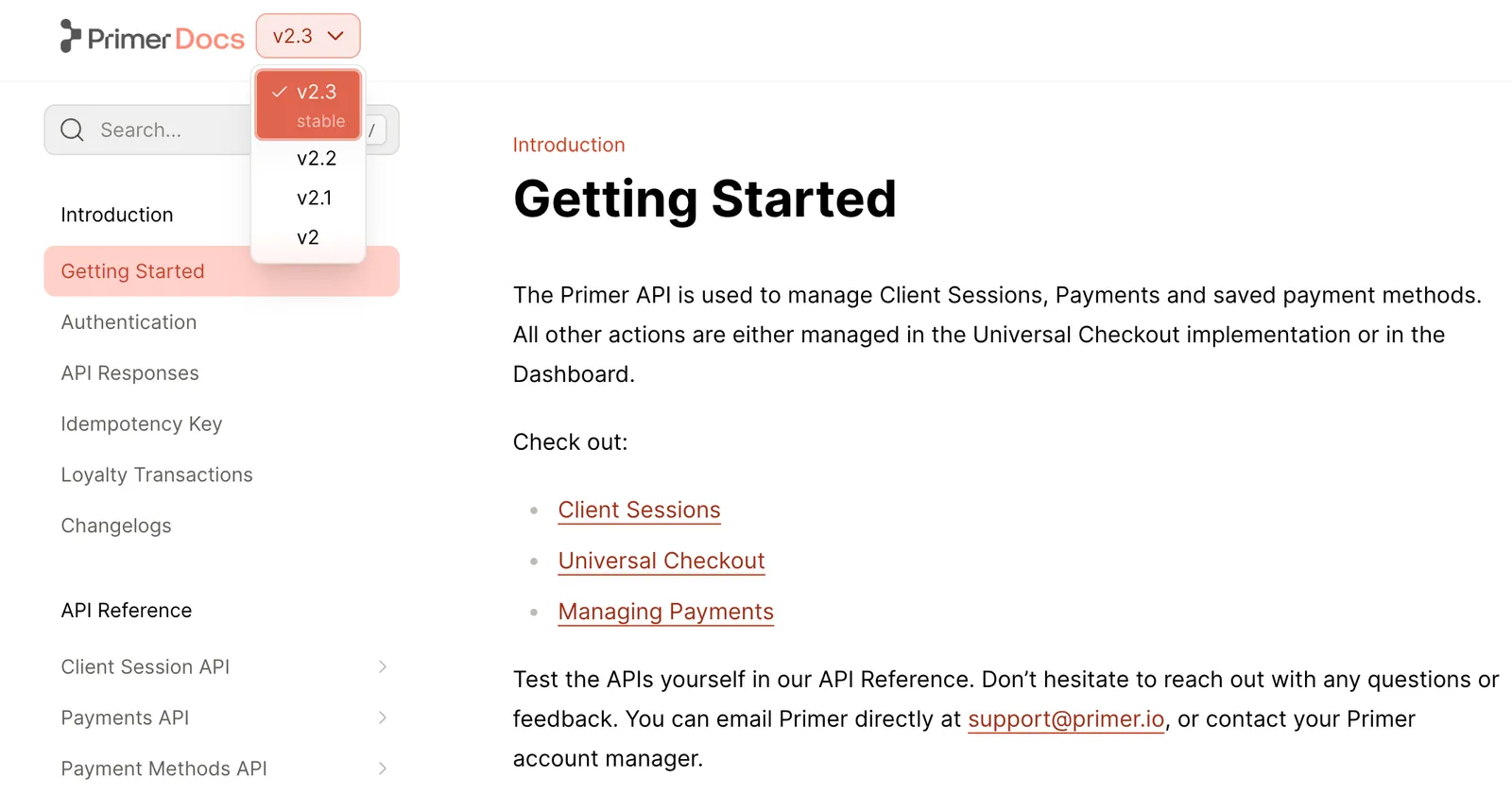
为多个文档版本添加下拉版本选择器
此功能仅适用于团队版和企业版套餐。要开始使用,请联系 support@buildwithfern.com。
您的文档的每个版本都可以包含自己独特的选项卡、章节、页面和 API 参考。版本之间也可以共享内容。
要在单个页面内显示特定于版本的内容,请使用 <Versions> 组件。您可以独立使用站点级版本管理和 <Versions> 组件,也可以同时使用两者。
向文档添加版本
定义您的版本
在您的 fern 文件夹内创建一个 versions 文件夹。要指定每个版本的内容,请向 versions 文件夹添加一个 .yml 文件来定义该版本的导航结构。如果适用,请确保包含 navigation 和 tabs 属性。
特定于版本的 yml 文件:
添加您的版本配置
通过向 versions 列表添加项目并指定 display-name 和 path,在顶级 docs.yml 中定义版本。
Versions appear in a dropdown on your site in the order listed in docs.yml. The first version in your versions list is the default version and uses unversioned paths like example.com/getting-started. Other versions use versioned paths like example.com/v2/getting-started.
Fern automatically handles version routing by redirecting broken versioned links to the default version. Canonical URLs point to the unversioned path to consolidate SEO signals. To override this for version-specific pages, see SEO metadata.
指示可用性
You can optionally set the availability status for each version. Options are deprecated, ga, stable, and beta.
Version availability is distinct from section and page availability, with different options. If you want to set section and page availability, do so in your version-specific yml files.
自定义版本行为
这些可选设置让您控制版本在 URL 中的显示方式以及谁可以访问它们。
更改版本别名
默认情况下,Fern 通过将 display-name 转换为小写并将空格替换为连字符来生成 URL 别名。例如,display-name: v3 (Deprecated) 的版本在 URL 路径中会得到别名 v-3-deprecated。
要自定义版本的 URL 别名,请使用 slug 属性:
在这个例子中,设置 slug: v3 会产生像 /docs/v3/getting-started 这样的 URL。
添加实例受众
通过为版本打上受众标签,控制哪些版本显示在每个文档实例中。这使得可以为不同的用户群体(例如,内部开发者、beta 测试人员、公共客户)创建单独的站点。
内容基于受众标签进行过滤:
- 匹配:具有与实例受众匹配的受众的内容会被包含
- 不匹配:具有不匹配受众的内容会被排除
- 无受众:没有受众标签的内容默认被包含
在 docs.yml 中为实例和版本定义受众:
从导航中隐藏版本
您可以通过设置 hidden: true 从导航、搜索和索引中隐藏特定版本,同时保持它们可以通过直接 URL 访问。这对于弃用先前版本或维护仅限内部使用的版本而不完全删除它们很有用。
versions 列表中的第一个版本)不能被隐藏。有条件地渲染内容
要根据当前版本在页面内有条件地渲染内容,请使用 <If> 组件。
自定义版本样式
使用自定义 CSS 来设置版本选择器的样式以匹配您的品牌。
选择器样式
您可以通过定位 fern-version-selector CSS 类直接自定义版本选择器的外观。
Adjusting positioning:
Use transform: translateY(Npx) to adjust the vertical positioning of the selectors. This ensures that the selectors match the line height of your logo for better visual alignment.
Enhancing visual prominence: You can modify the border radius and add borders to make the selectors more prominent and better integrated with your site’s design aesthetic.
下拉菜单样式
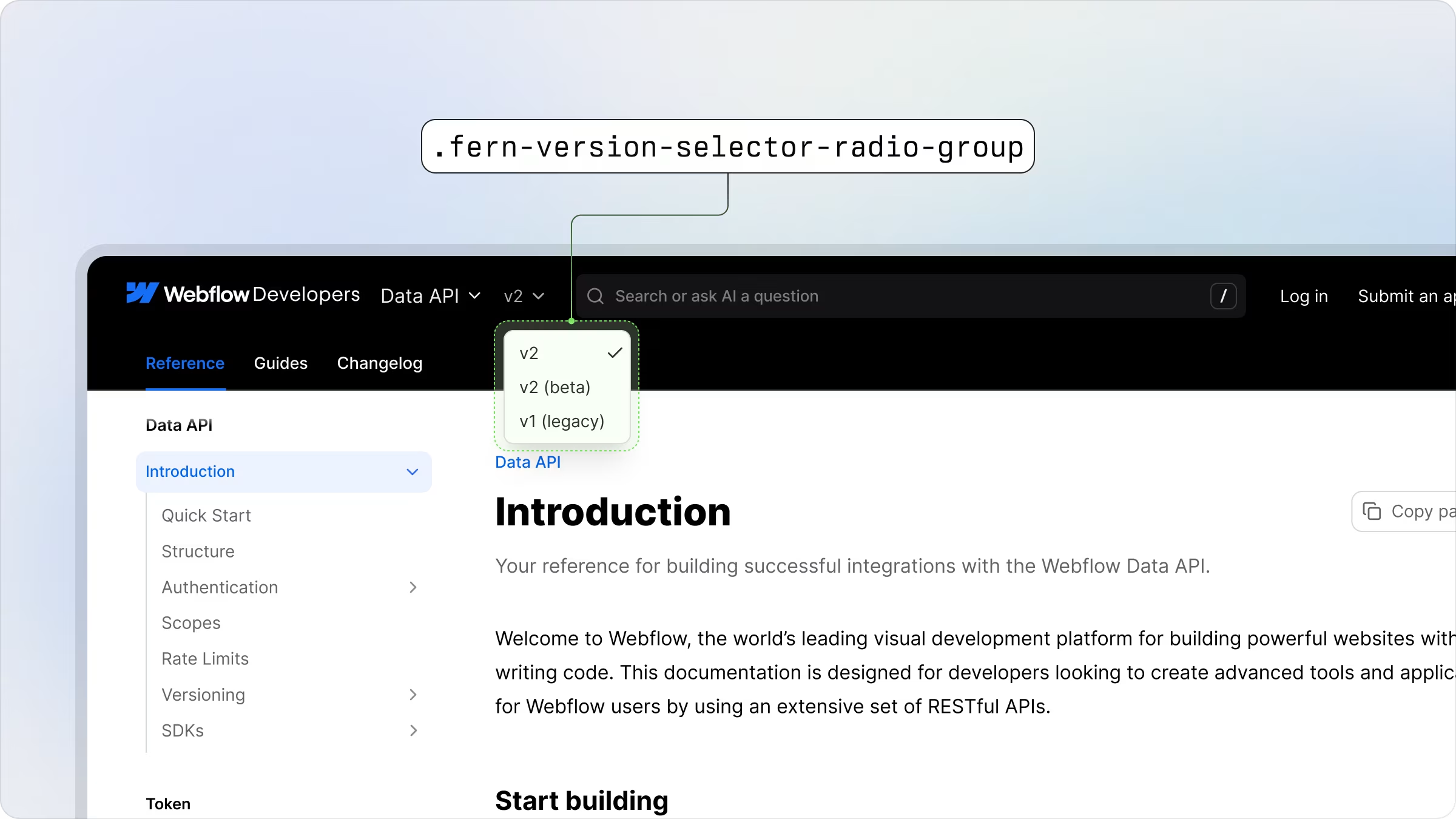
版本选择器的下拉菜单可以使用 fern-version-selector-radio-group CSS 类进行自定义。